How to check Int4 Suite main release version
-
Open the system where Int4 Suite add-on is installed
-
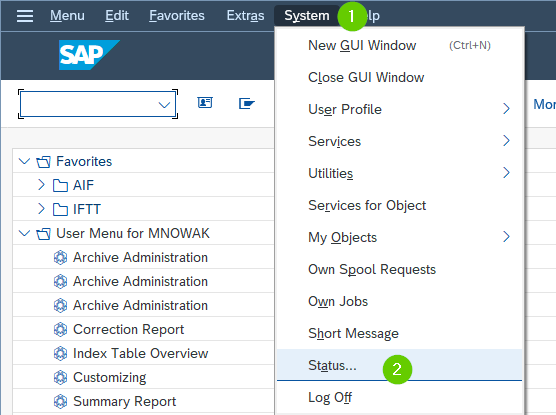
Go to System → Status
-
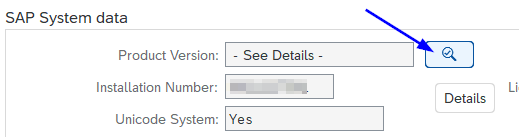
In the new window click on the details button next to the Product Version.
-
Check the INT4 component to confirm the main release version installed

(optionally) How to check Int4 Suite minor release version
-
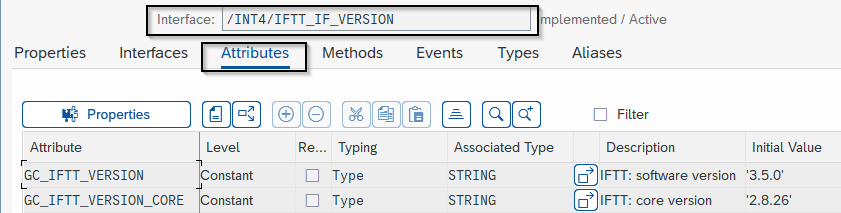
Go to transaction SE24 in the system where Int4 Suite add-on is installed and display the details for the object type: /INT4/IFTT_IF_VERSION
-
Go to the attributes tab and check the attribue GC_IFTT_VERSION