Testing file interfaces without middleware
Int4 Suite offers two test types, 45 (File Inbound) and 46 (File Outbound), designed for the automatic testing of file-based interfaces that do not utilize middleware platforms.
The diagrams below illustrate the functionality of these adapters.
Test Case Creation
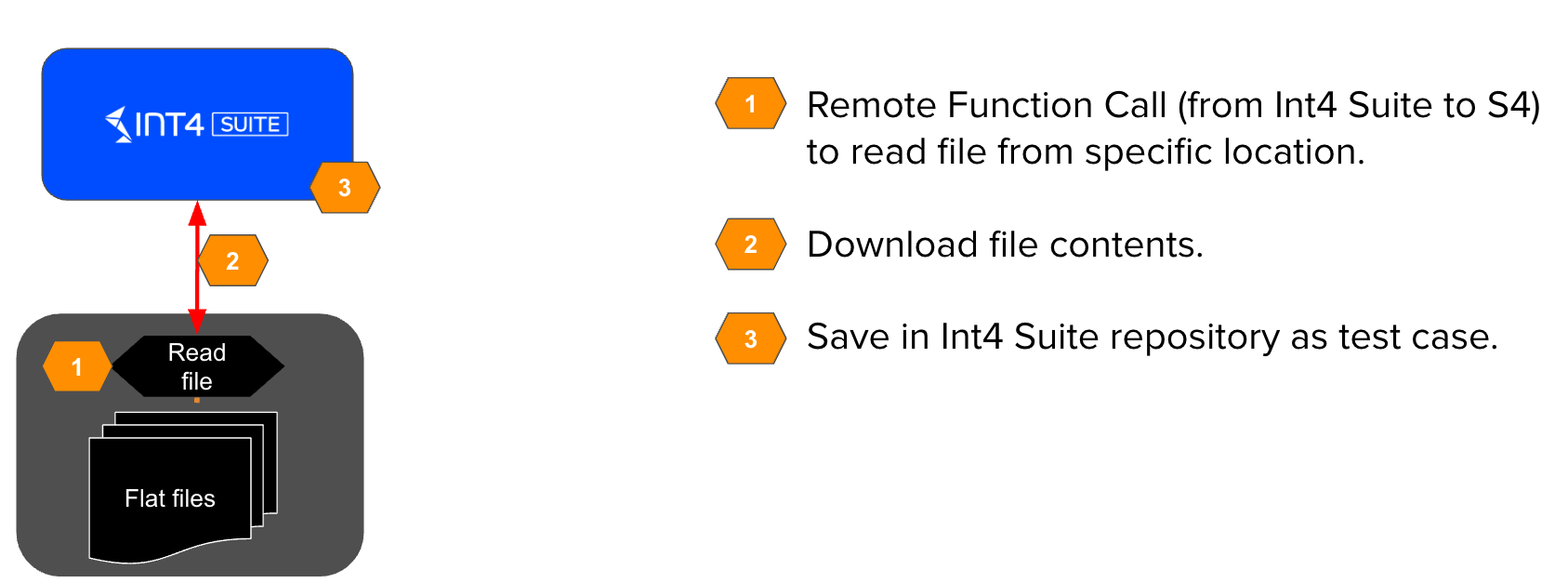
During the creation of a test case, Int4 Suite retrieves the contents of a selected file from a specified folder. Both the expected file name pattern and the folder are integral components of the Automation Object configuration, which facilitates selection of proper files from the file system.
The contents of selected file are then stored within a test case in the Int4 Suite repository.
Testing Inbound Interfaces
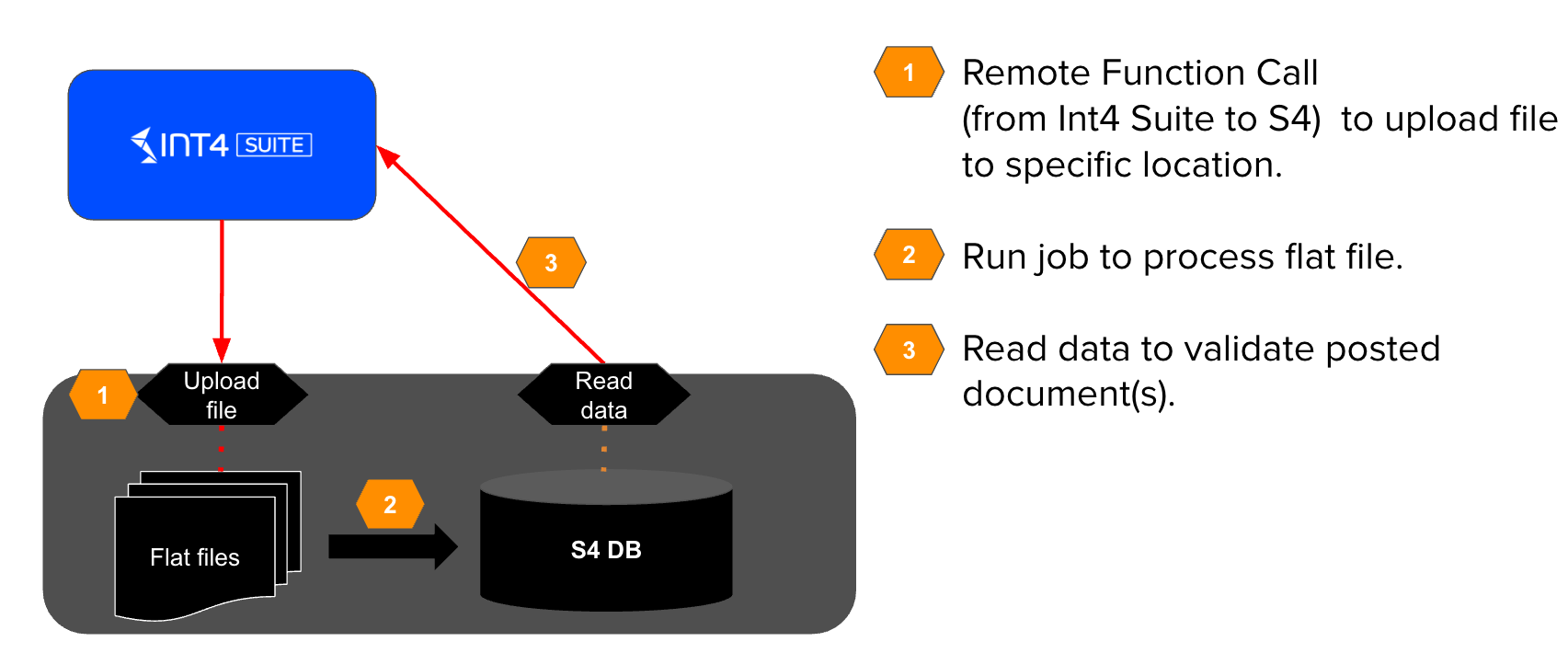
During the execution of test cases for inbound interfaces, Int4 Suite injects a file into a specific folder, saving it under a defined name. The interface being tested then processes this file, resulting in specific outcomes, such as business document(s) in the SAP backend system.
Finally, Int4 Suite validates the created business document(s) using the DB Validation Ruleset.
Testing Outbound Interfaces
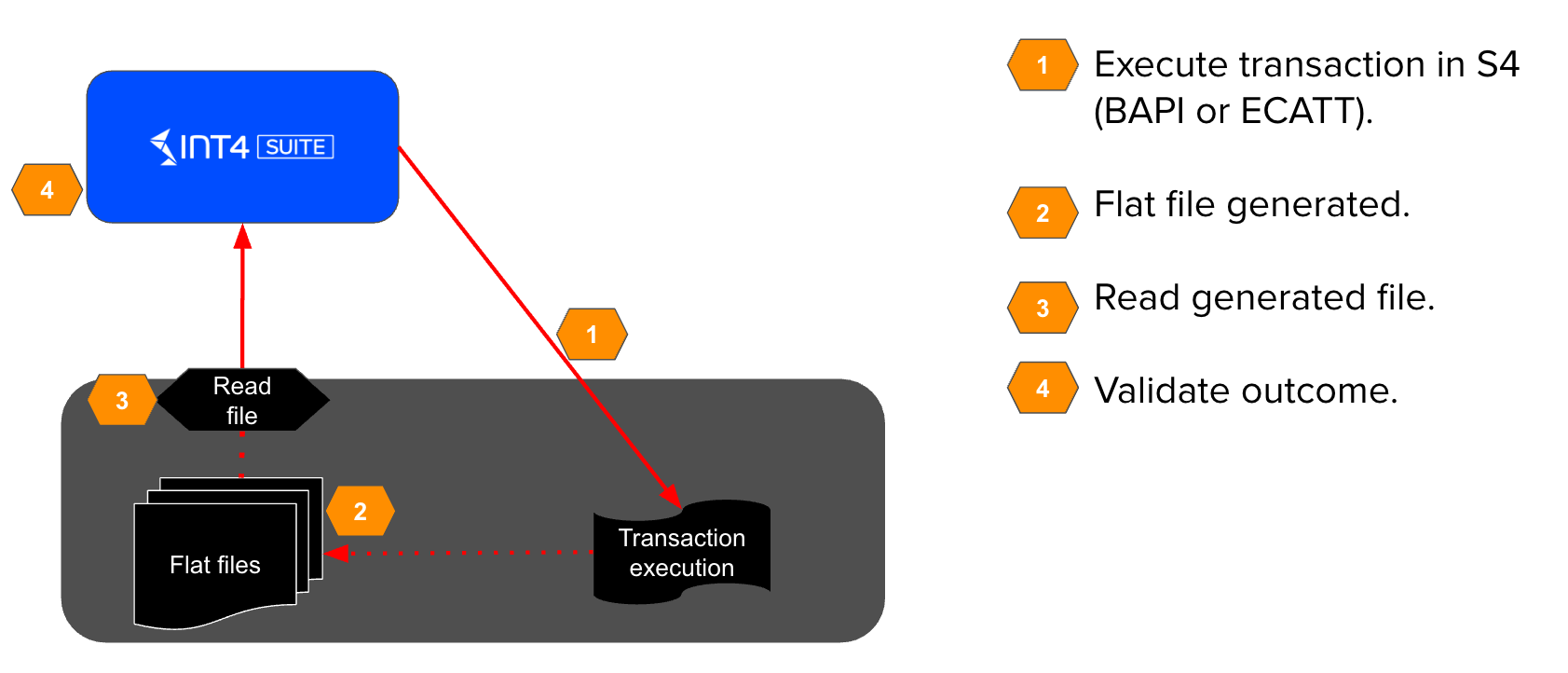
For outbound file interfaces, testing begins with the execution of a transaction or program in the SAP backend system (performed by Int4 Suite e.g. via BAPI or ECATT). The interface being tested then generates a file and uploads it to a specific folder.
Finally, Int4 Suite validates the created file to ensure it meets the required content and format specifications.