
Test run results can be presented as a process report, offering enhanced visibility for test runs that include test cases connected through parent-child relationships.
Requirements
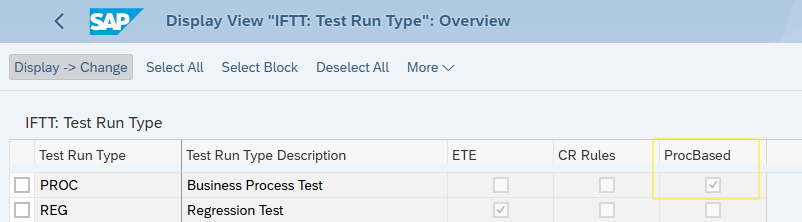
To enable process reporting, the test run must use a Test Run Type with the “Process Based” attribute enabled.
You can configure Test Run Types using the Int4 Suite Customizing Wizard.
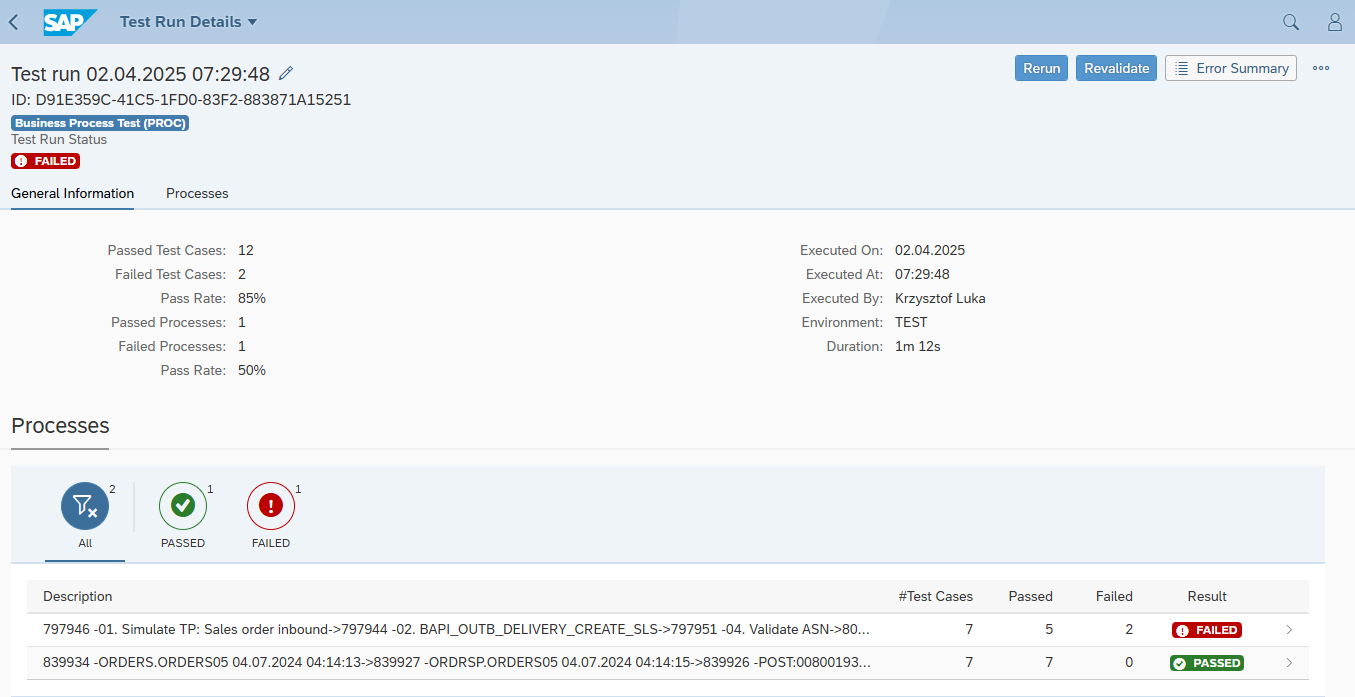
Summary Screen Overview
For process-based test runs, the summary screen displays:
-
A list of processes, along with their statuses
-
An overview of test cases included in each process
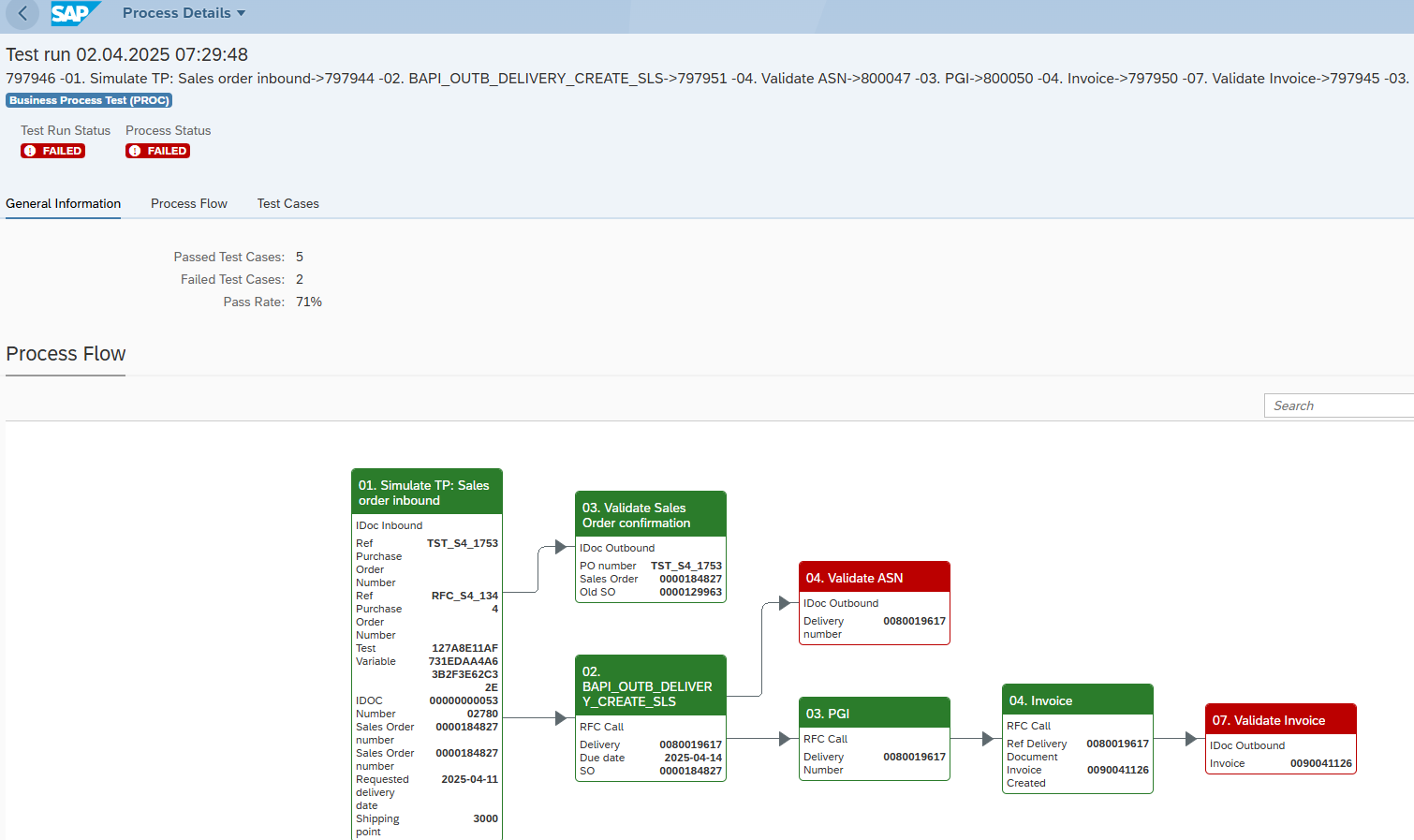
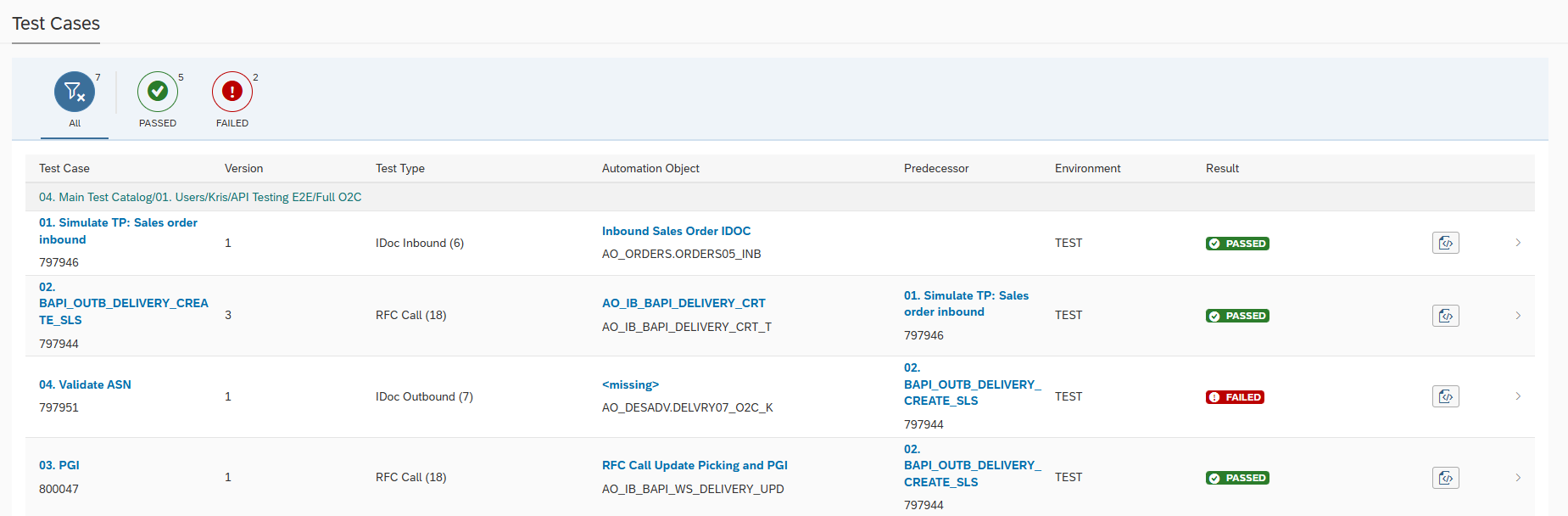
Navigating the Process Report
From the summary section, users can access detailed views of each process, which include both:
-
A graphical representation of the process flow
-
A tabular view of related test cases
To view test case details, users can:
-
Click on a node in the process diagram
-
Click on a row in the test case table