
The Global Tagging System provides a unified classification and filtering mechanism across multiple object types within the Int4 Suite. By allowing users to associate descriptive, custom labels with system entities, this feature significantly enhances data discoverability, organization, and cross-object search capabilities.
Supported Object Types
The tagging functionality is fully integrated and supported across the following system entities:
-
Automation Objects (AO)
-
Scripts
-
Test Cases
-
Test Runs
-
DB Rulesets
-
Business Objects
Functional Specifications
-
Capacity Limits: Users can assign a maximum of 10 tags to any single object.
-
Global Scope: Tags are centralized and agnostic to object types. A tag created on an Automation Object is instantly available for use on a Test Run or a DB Ruleset.
-
Free-Text with Typeahead: Users can input custom text to check what tags exists. As they type, the system provides real-time, typeahead suggestions based on the central repository of previously used tags to encourage consistency and re-use.
User Interface & Experience
-
Tag Management: Users can seamlessly add, edit, and remove tags directly within the UI components of all supported objects.

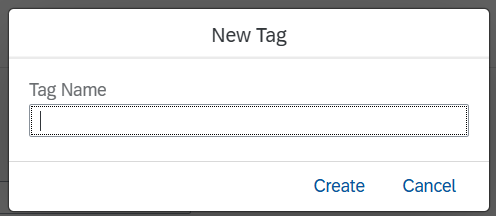
Tag entry field with new Tag button

-
Advanced Filtering: Applications and downstream services that consume these objects have been upgraded to support robust tag-based filtering, allowing users to quickly isolate and search for categorized data.

Tag based object filtering