
You can use /INT4/IFTT_DEL report to delete old Test Cases or schedule the job that will delete Test Cases regularly.
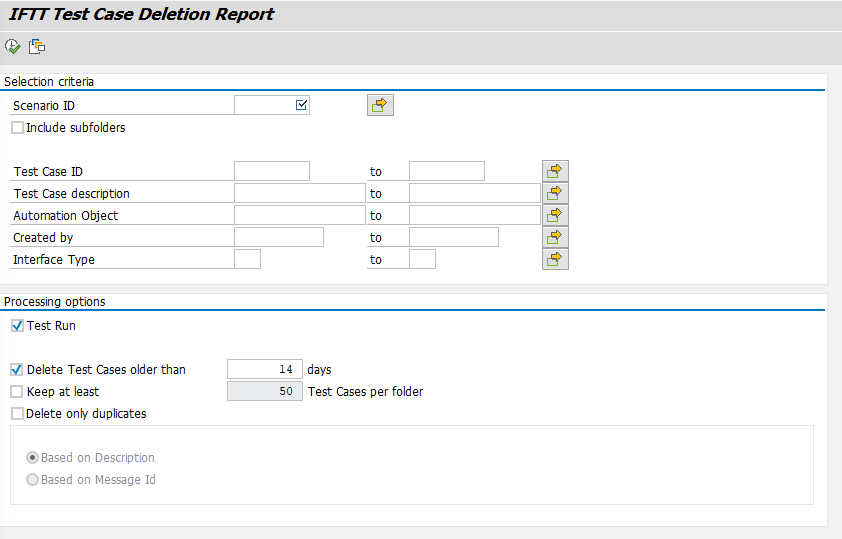
On the selection screen, you need to specify Scenario ID. With a selection of the checkbox below it, you can include subfolders of the selected scenarios included in the processing.
You need to provide a number of days after which you would like to delete Test Cases.
It is also possible to specify minimum number of test cases to be left in each folder.
We strongly recommend running the report first in Test Run mode to check which test Cases will be deleted. For run without the Test Run checkbox, Test Cases will be removed without further checks or popups.
You can provide additional parameters to specify your selection.
There is also an option to ‘Delete only duplicates’. In that mode, program will look for duplicated Test Cases, comparing Description or Message Id. Then it will delete only all duplicates, leaving the newest test cases.