
The Configuration Wizard, also known as int4 Suite Customizing, is a valuable tool designed to facilitate the initial setup of the int4 Suite. It offers both automatic and semi-automatic options for completing the initial configuration activities, streamlining the setup process for users. After successfully completing the initial steps outlined on the https://int4support.atlassian.net/wiki/x/PgCgew page, we can utilize the Configuration Wizard to finalize the configuration of the int4 Suite.
The main screen features the following options:

To perform the actions: Customize, Display, Check Connectivity, please select a single row for the action to be executed.
-
Customize: It commences the automated configuration process.
-
Display: can be used to view i.e. table data such as interface types maintained in the /INT4/IFTT_IFTY table.
-
Check Connectivity: automatically checks the connectivity of the Logical Ports of RFC Destinations.
-
Refresh: updates the status of the listed items.
-
Display int4 Suite Global Params: displays int4 Suite https://int4support.atlassian.net/wiki/x/AYDFew
-
Cancel: return to previous int4 Suite Configuration screen
In the Configuration Wizard we can distinguish two types of steps:
-
common
-
environment specific
Common customizing steps:
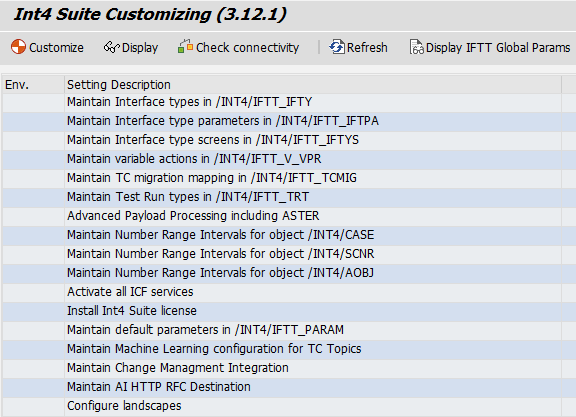
To complete the common steps, select each row and press customize button. Follow the instructions on the screen.
Install int4 Suite license step is mandatory. Please see https://int4support.atlassian.net/wiki/x/AYDFeg
for more details.
Environment specific customizing steps
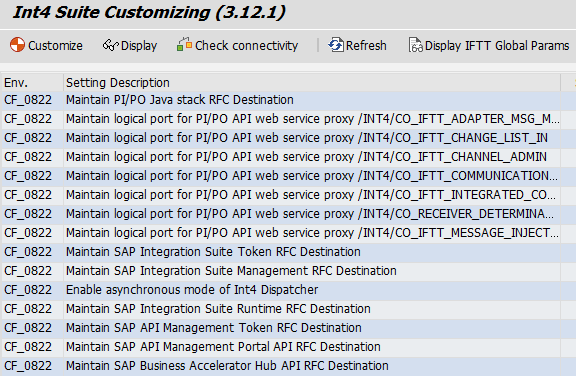
There are certain steps that need to be completed separately for each of the environments configured:
-
Maintain PI/PO Java stack RFC Destination.
-
Select an appropriate maintenance action
-
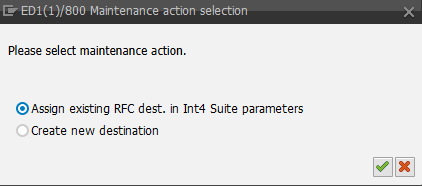
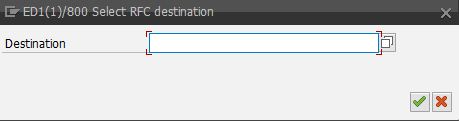
For more details on how to create the RFC Destination for SAP PI/PO Java stack connectivity please go to https://int4support.atlassian.net/wiki/x/ZwHTf If you have already got this RFC Destination created please use: Assign existing RFC dest. in int4 Suite parameters.
b. Use Create new destination to maintain the RFC details directly from the Configuration Wizard level…
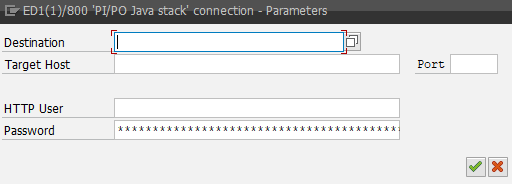
c. …or select an existing RFC Destination.
-
Maintain logical port for PI/PO API web service proxy. Logical ports are required for SOAP communication with the SAP PI/PO API. The Configuration Wizard automates the configuration steps that would typically be performed manually in transaction SOAMANAGER. For each logical port, follow the procedure outlined below:
-
Select maintenance action:
-
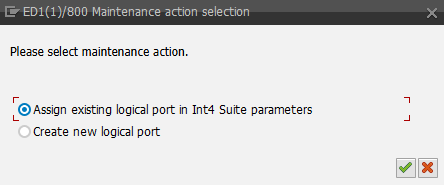
b. If the port is already created assign existing logical port in the int4 Suite parameters…
c. …or create a new logical port.

The user's password is automatically copied from the RFC destination and used in the created logical port. If the SAP PI/PO communication user is changed at any point of time the logical ports must be regenerated following the same procedure.