These instructions should be executed by SAP Basis team or Your SAP system administrator
Int4 Suite Support Package deployment
This section is optional and applicable if You received Support Package SAR files from Int4 team
-
Log into client 000
-
Update SPAM tool to the latest level.
-
Enter SPAM transaction.
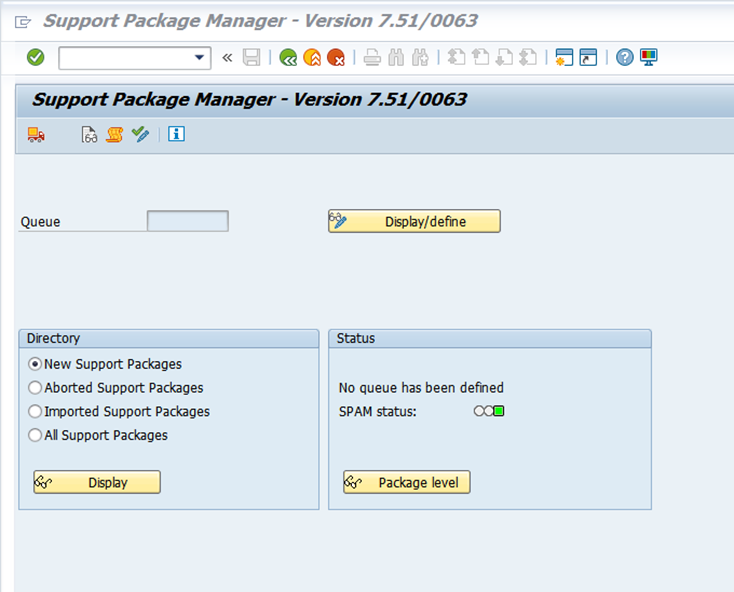
-
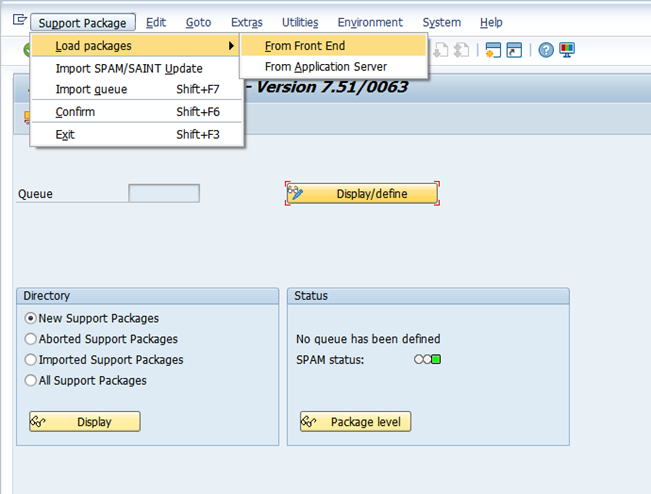
In SPAM go to menu option Support Package -> Load Packages -> From Front End And select you .SAR file location.
-
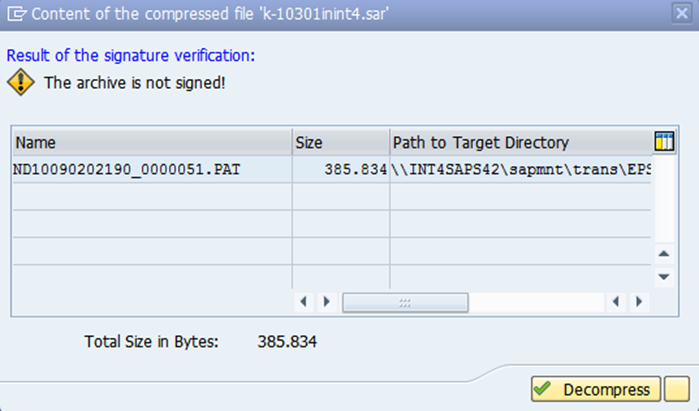
Now the content of the .SAR compressed file is presented. Click Decompress to proceed.
-
Click Display/Define button to display a list of Software Components.
-
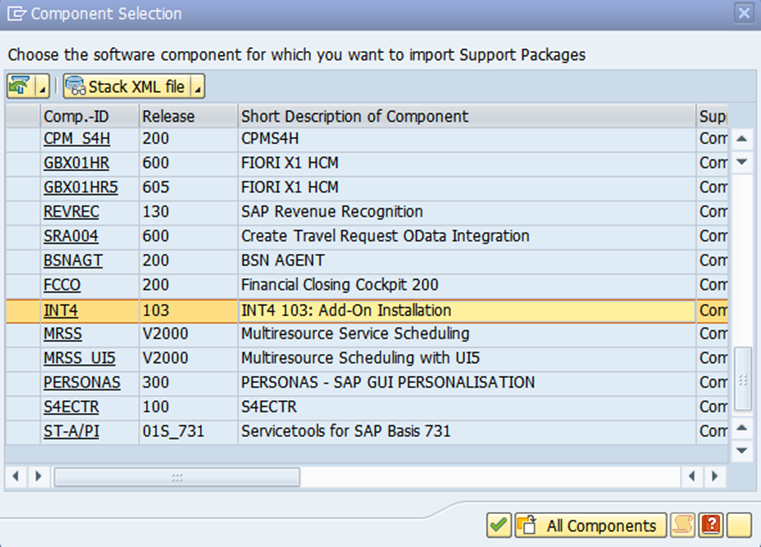
Select software component for which you want to import Support Packages
-
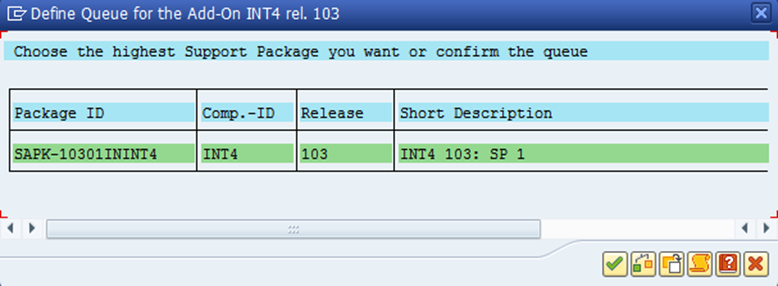
Define the queue by choosing the appropriate Support Package
-
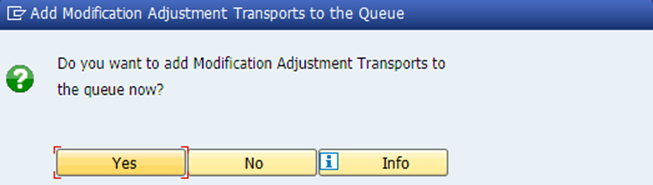
When asked to add Modification Adjustment Transport to the queue click No.
-
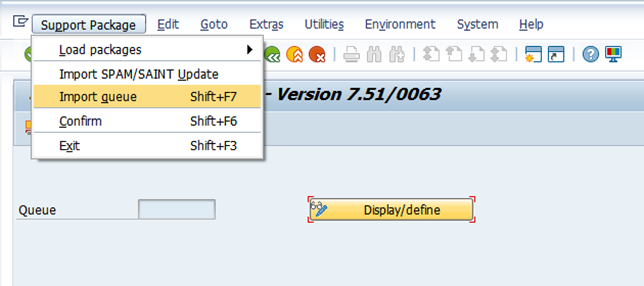
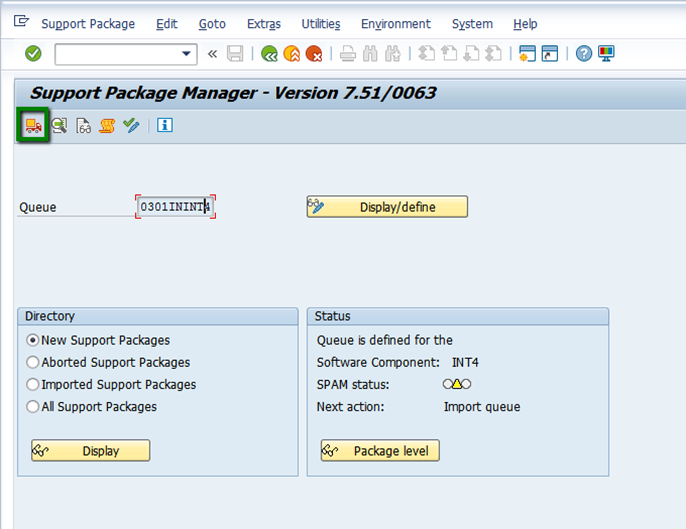
After defining the queue click import queue button
-
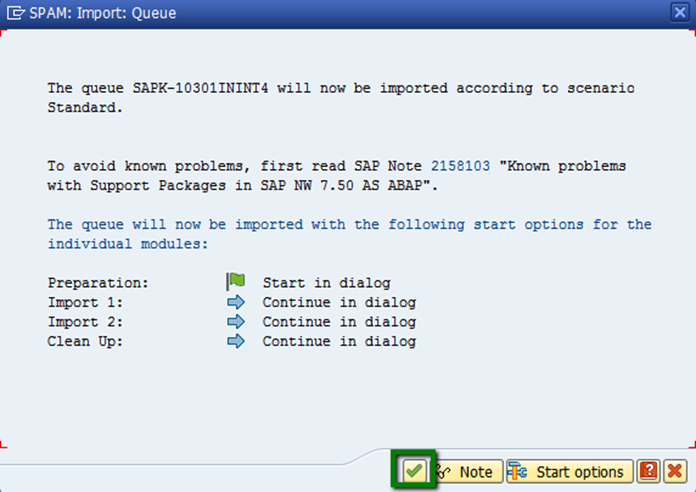
Start options can be defined in this step. When done continue.
-
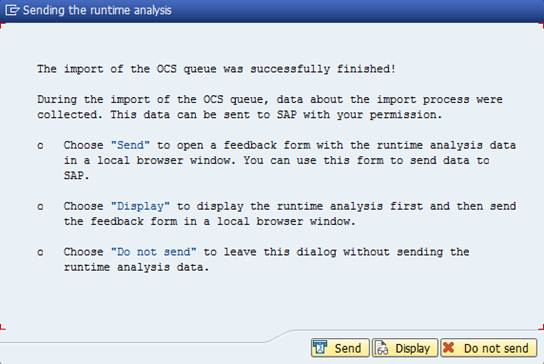
After successfully accomplished Support Package import a following confirmation should be displayed.
-
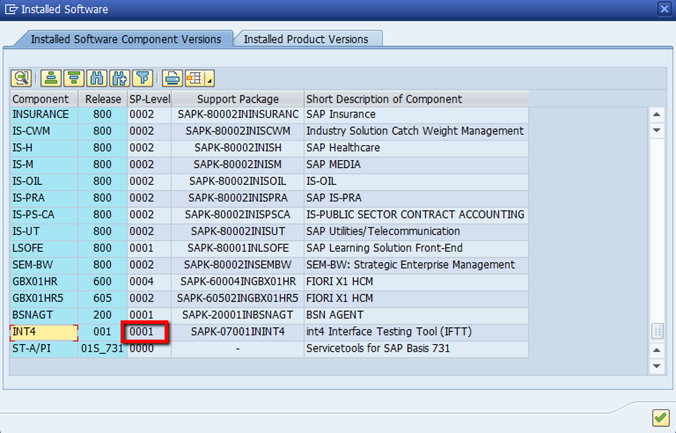
Support Package level is now visible in Installed Software Component Versions
-
Finally after successful deployment in the SPAM transaction confirm imported queue by going to Go to Support Package 🡪 Confirm.