
USE:
Those steps are obligatory for eCATT to replay the manual document creation recordings correctly.
PROCEDURE:
Setting sapgui/user_scripting parameter:
-
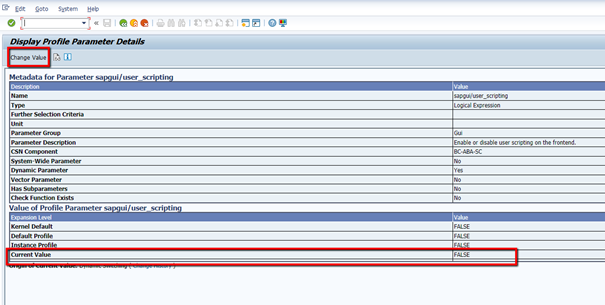
Enter transaction code: RZ11
-
Enter sapgui/user_scripting as parameter name and hit enter
-
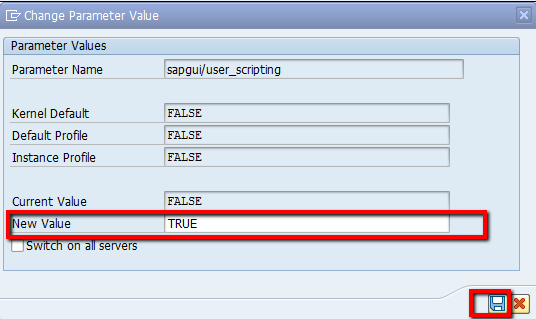
Choose Change Value button and change parameter value to TRUE:
SAP GUI settings:
-
Open your SAP Logon screen and right-click your ECC system
-
From the context menu, choose Properties
-
In the Network tab, choose High Speed Connection (LAN)
eCATT and CATT client restrictions:
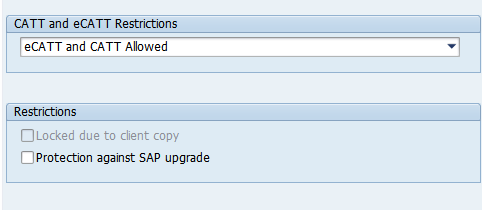
1) Open tcode SCC4 .
2) Double-click on the selected client.
3) Choose eCATT and CATT Allowed
Configuring creation of scripts on a production system(optional)
In case of disabling eCatt in SCC4, it can be enabled for particular scripts by following SAP notes:
2653468 - eCATT - using local objects without registration in object directory - composite SAP Note