USE:
Creating the ignore list expressions directly from Test Case results instead of making them manually in Configuration Object transaction in advance (t-code /INT4/IFTT_CONF).
This feature is available only for XML messages.
Let’s take the example of a failed test case:
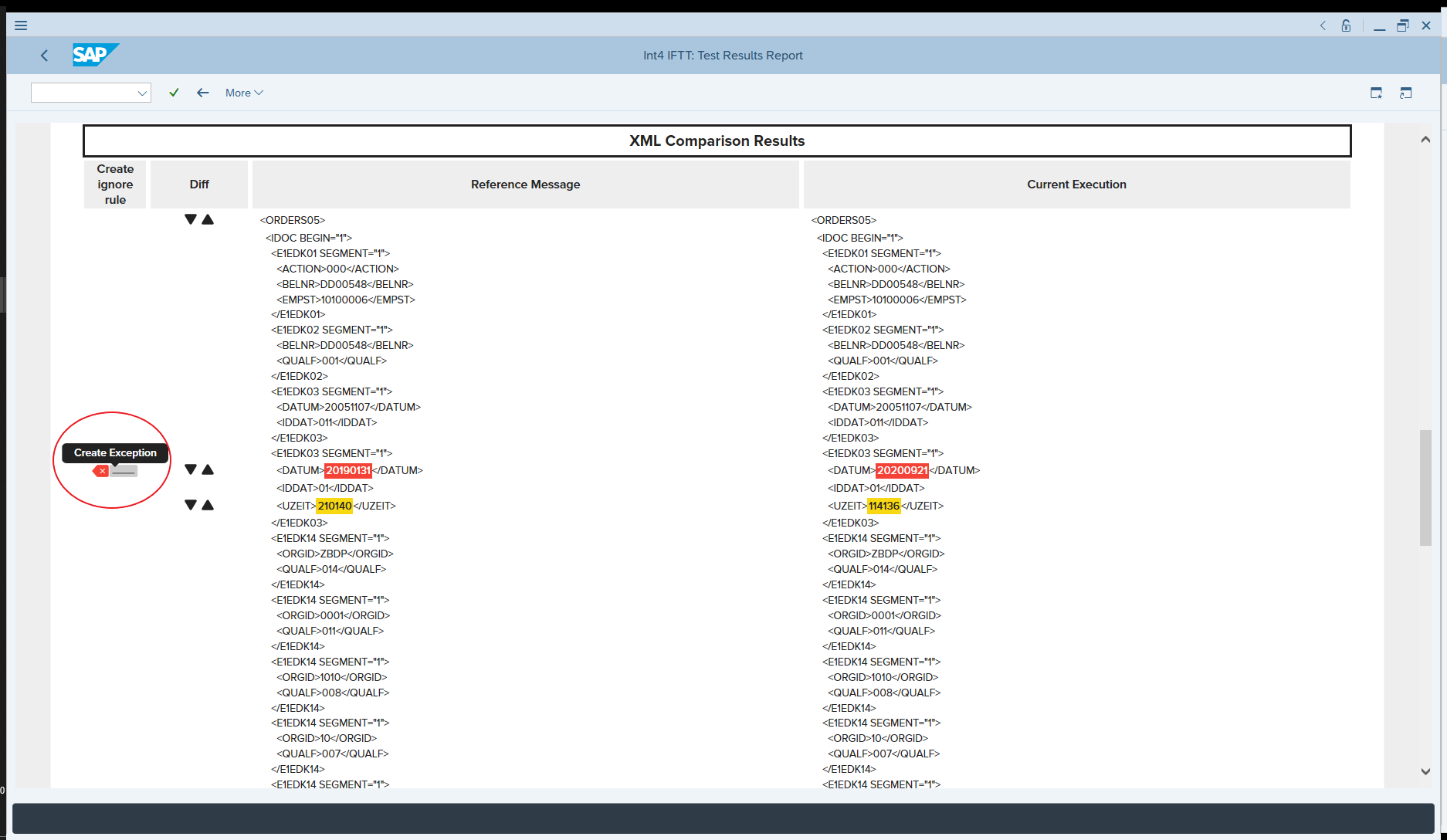
As we can see, the report highlighted the differences between the reference message and current execution. However, we don’t want the Datum field to fail our test case. Usually, we would add this variable to the Payload Ignore list as described in Payload Validation Ignore List.
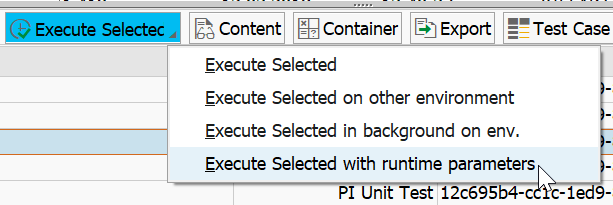
We will execute this test case once again, but with option Runtime Parameters:
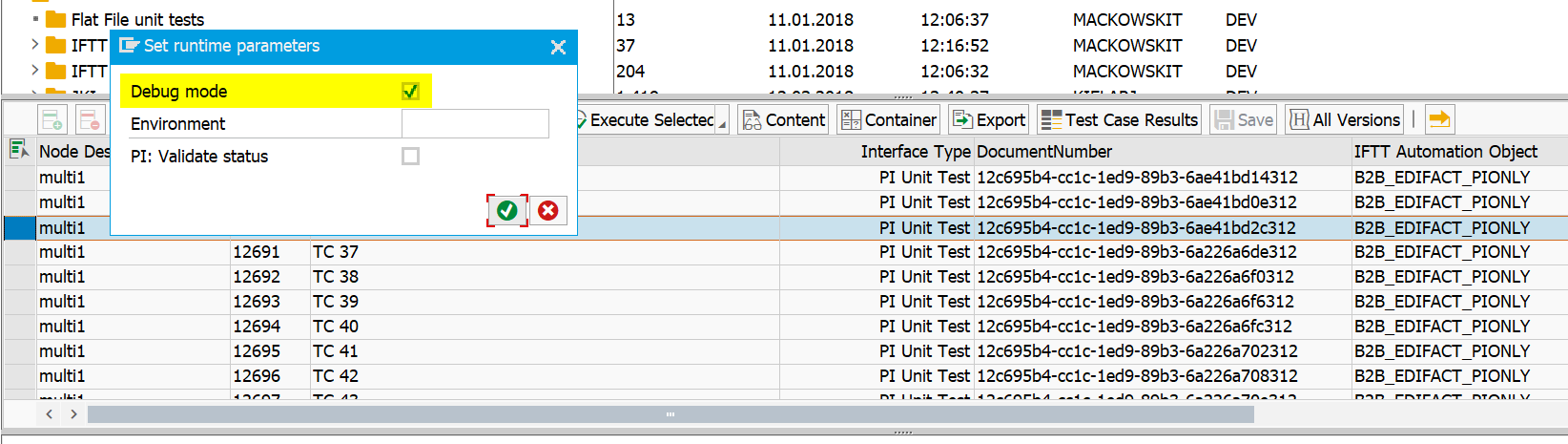
Select option Debug mode and confirm to execute selected test case:
Test case failed again (as expected); however, a new button is visible in the Test Case Results Report. Thanks to this functionality, it’s possible to create an ignore rule automatically:
Click on the button, and you will be redirected to the screen with Payload Validation Ignore rule creation:
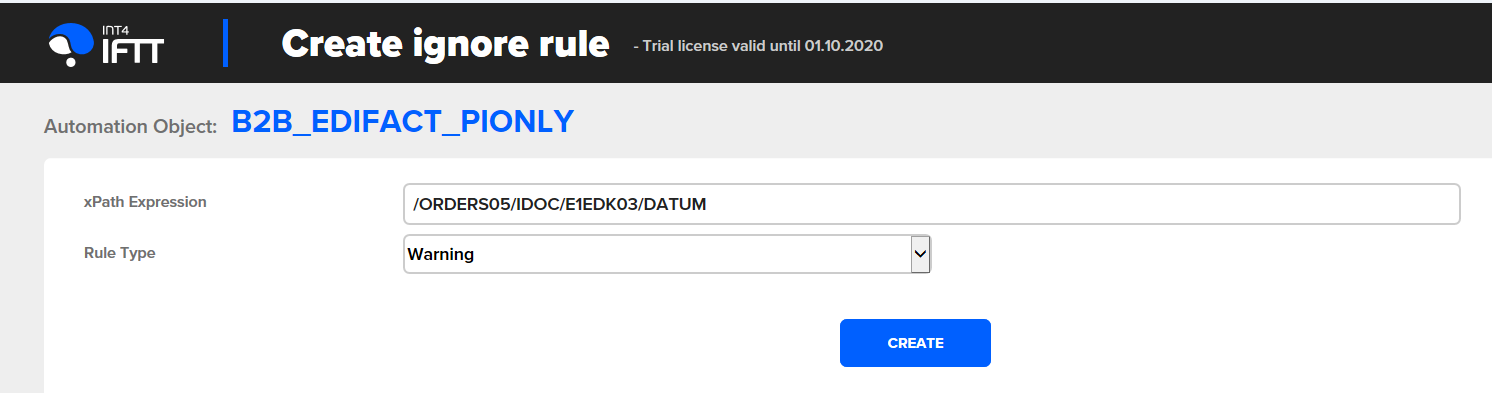
XPath expression is created and filled out dynamically by Int4 IFTT. On the right side, there is a dropdown with Rule Type selection. Available options:
-
Warning - marks the compared fields with yellow color as a "warning"
-
Ignore - even if there is a difference in the content, it is not highlighted.
Select a suitable option, click on Create button and go back to Int4 IFTT Cockpit. Now, when you execute the same test case again, it won't be failed due to the difference in the Datum field anymore. It will be displayed as a warning (or ignored, depending on chosen settings):

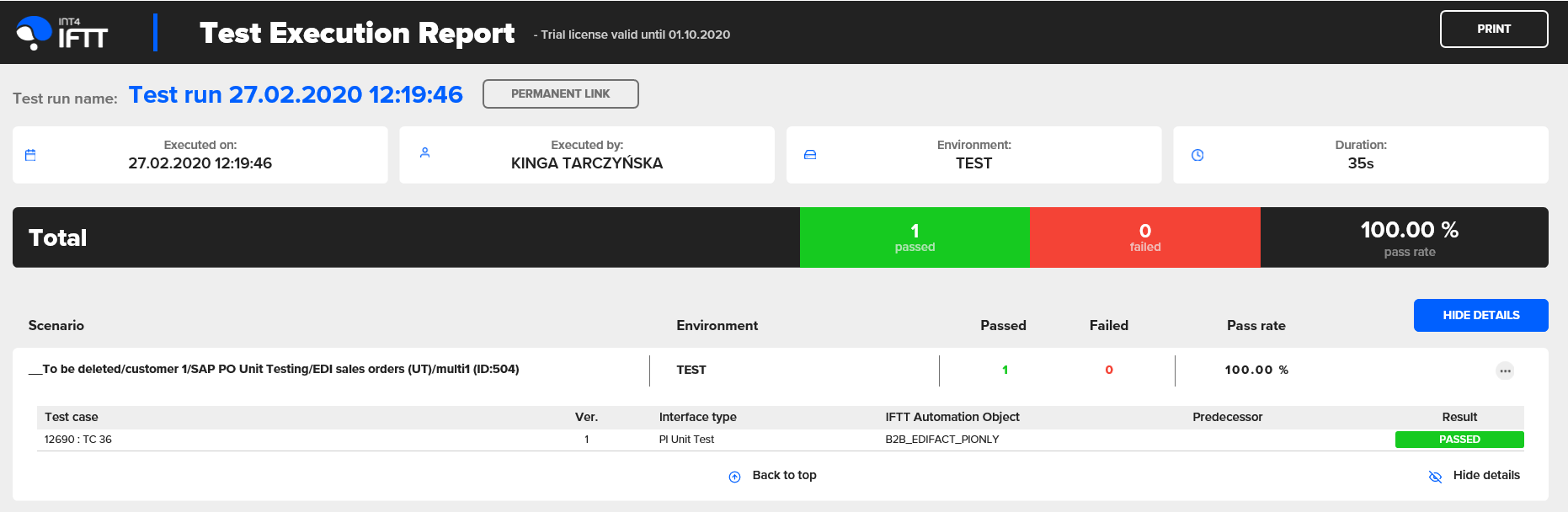
As shown, the Test Case passed now: