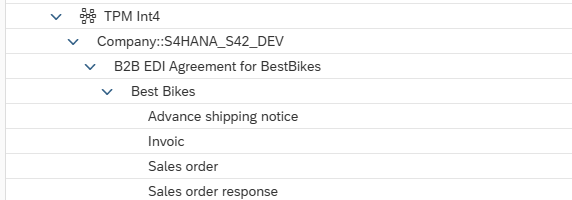
SAP B2B TPM Partner Directory Data can by imported to Int4 Suite APITester Cockpit folder structure.
Prerequisites:
-
Environment with API connection to SAP IS configured
-
AuthGroup_TenantPartnerDirectoryConfigurator role collection assigned API client
Procedure
-
Open APITester Cockpit
-
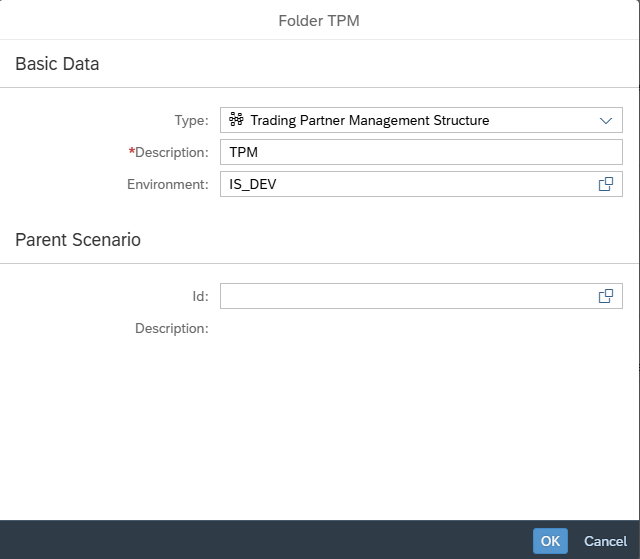
Create new Folder
-
Select ‘Trading Partner Management Structure’ Type
-
Select Environment
-
Enter Folder name
-
-
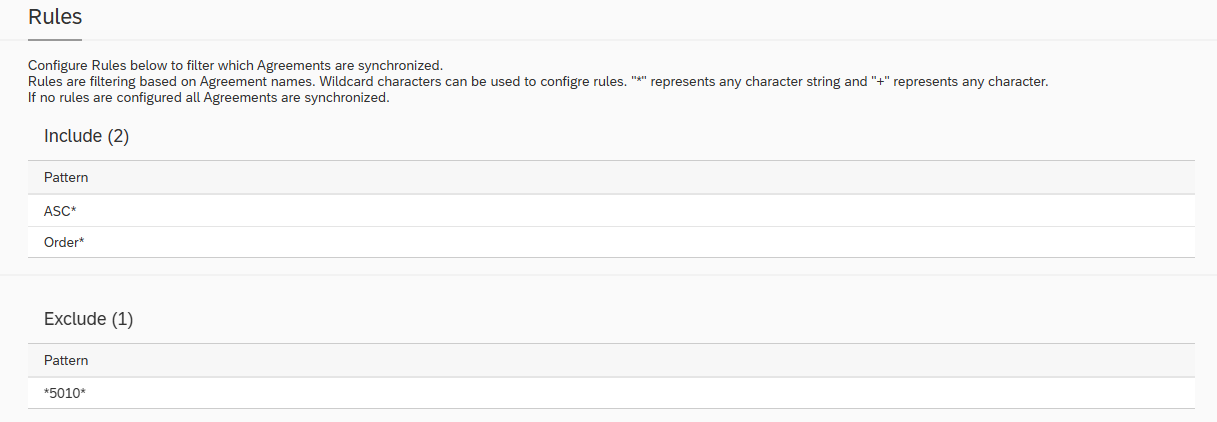
(OPTIONAL) Configure rules to include/exclude specific agreements
-
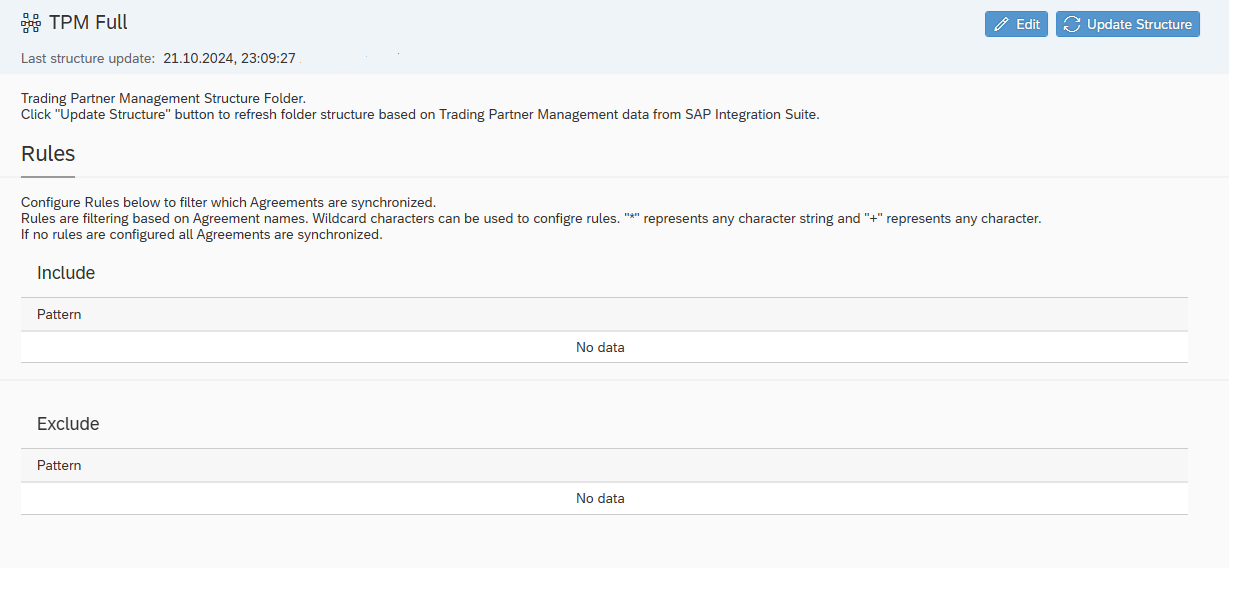
Click Update Structure button to start synchronization
Folder structure is created based on following rules:
-
level 1 - Company System Name
-
level 2 - B2B Scenario Name
-
level 3 - Trading Partner
-
level 4 - Business Transaction Activity
Example: