
API Key
Some providers (like Azure) authenticate with API key in a specific header.
-
Add your API key to Secure parameters under parameter AI_API_KEY
-
Define header name under global parameter AI_AUTH_H (ex. api-key for Azure)
Azure
Authorization header api-key will be populated with API key defined in secure parameters.
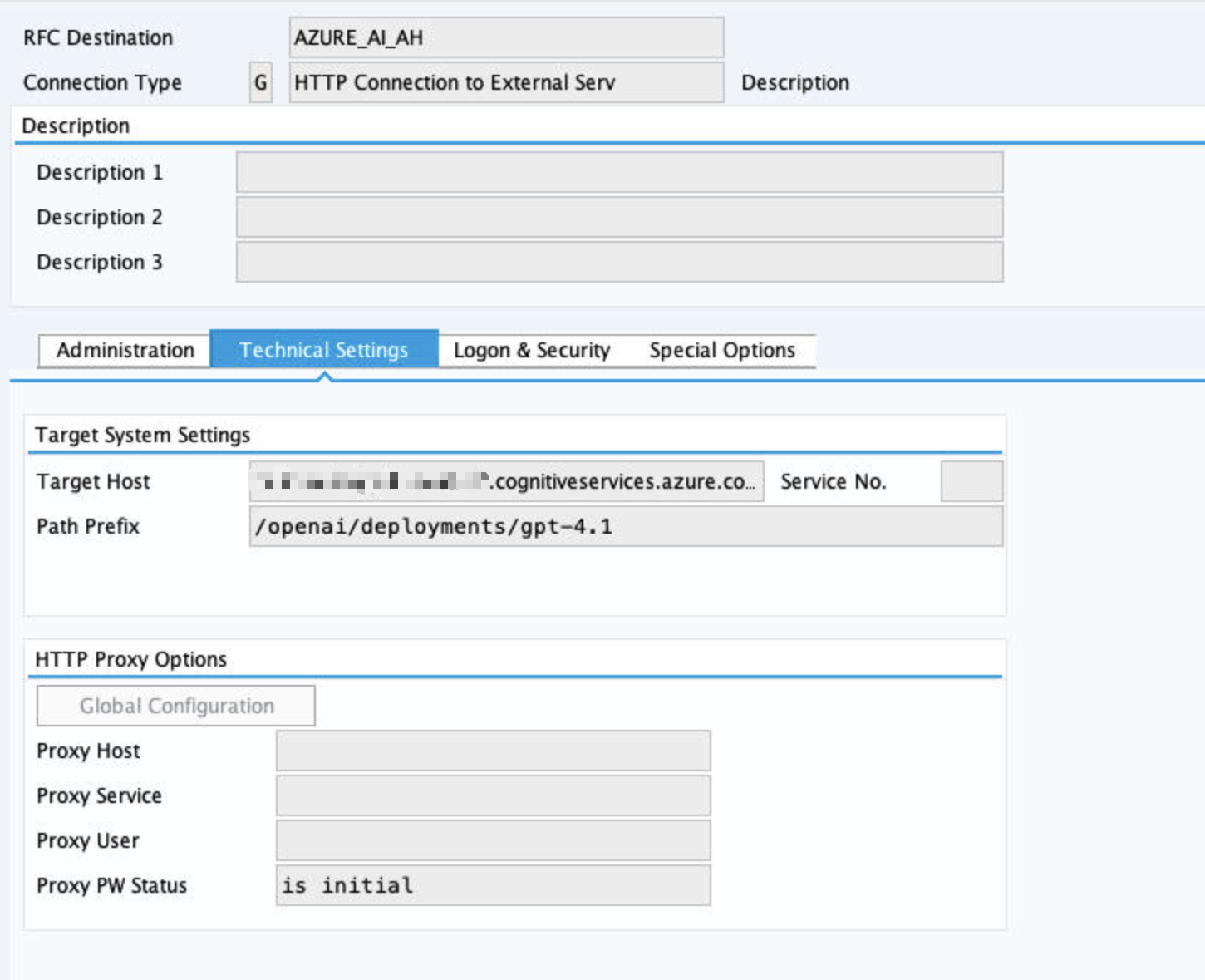
AI Core
AI Core requires OAuth authorization, token destination needs to be defined.
Main destination
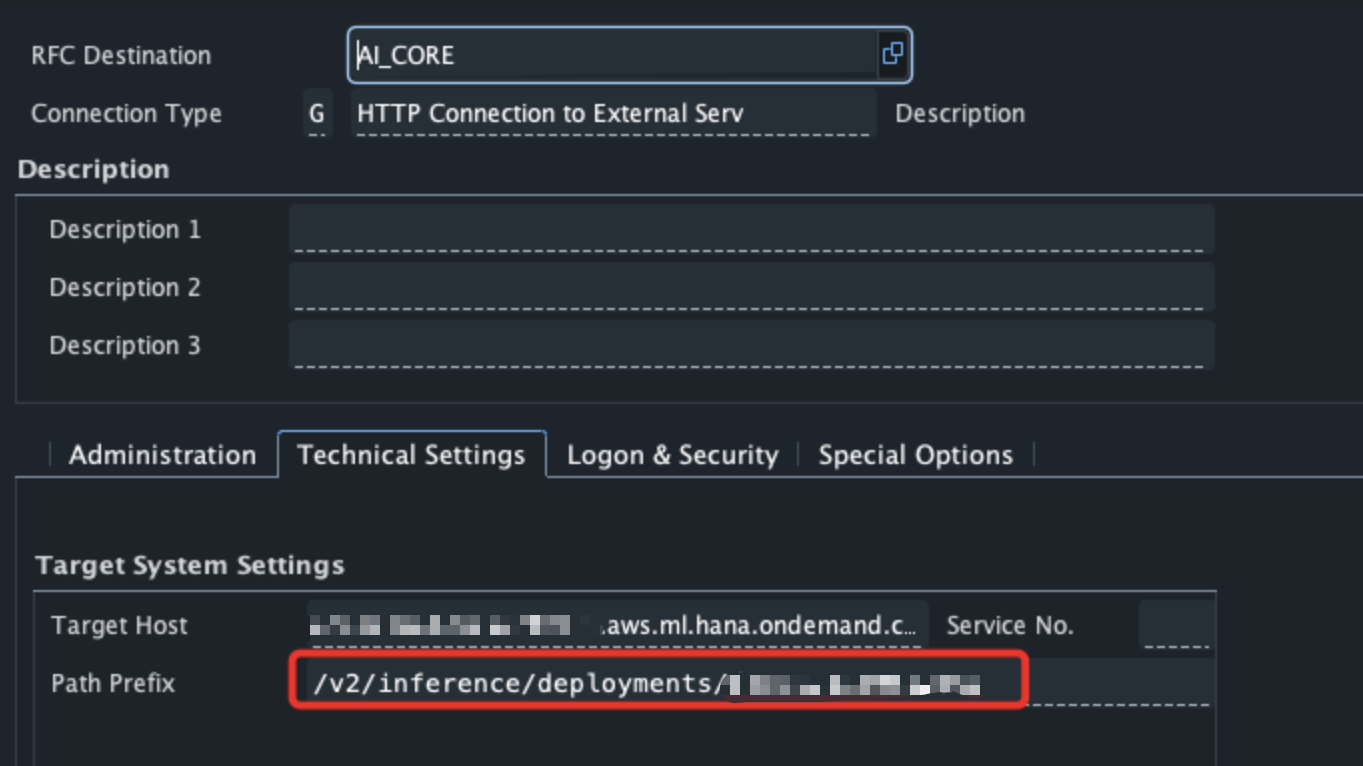
Destination needs to point at a specific deployment.
Token destination
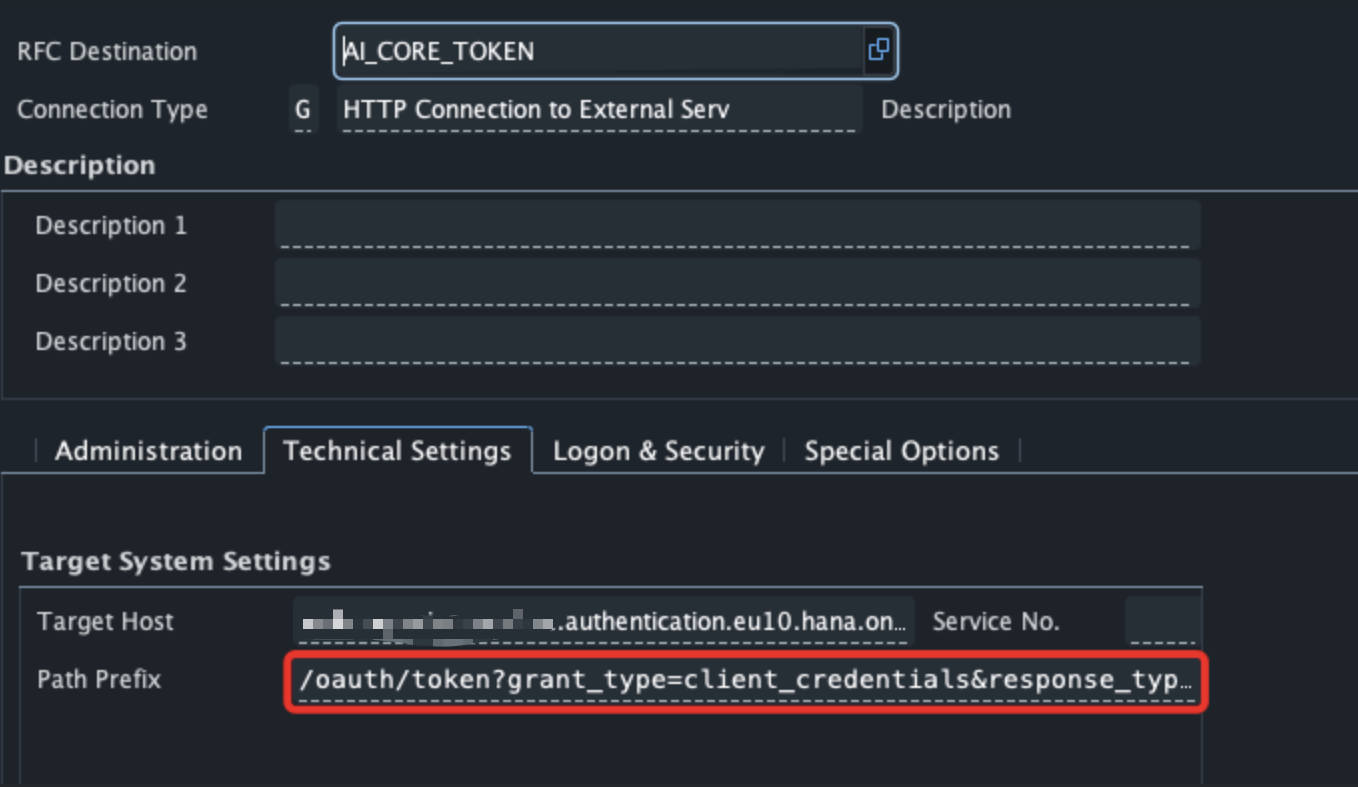
URI: /oauth/token?grant_type=client_credentials&response_type=token
Under Logon & Security choose Basic Auth and enter client id and client secret.
Parameters
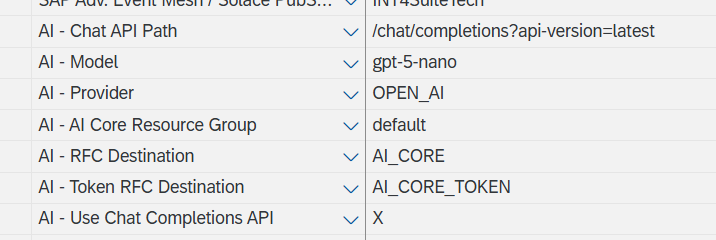
AI Core Resource Group - populate with your resource group
AI Model - needs to be aligned with deployment
AI Provider - OPEN_AI
AI Chat API Path - /chat/completions?api-version=latest
AI - Use Chat Completions API - X
AI Core is not supporting Responses API. Usage of Chat Completions needs to be enforced.
Gemini
Global parameters:
-
AI - Provider: GOOGLE
-
AI - Authorization Header: X-goog-api-key
Supported models:
-
gemini-2.5-pro
-
gemini-2.5-flash
-
gemini-3-pro-preview