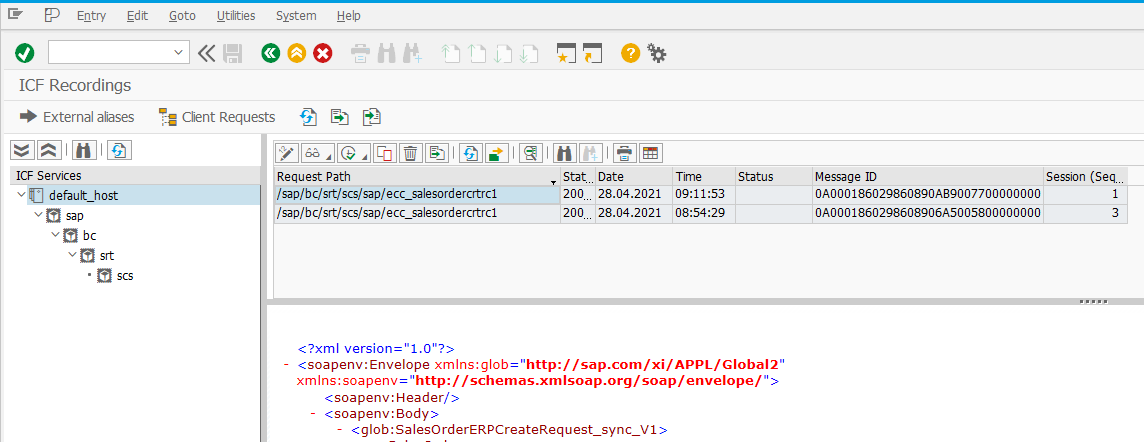
It is required to enable ICF Recording to collect request and response data for Web Services and REST services based on SAP Internet Communication Framework.
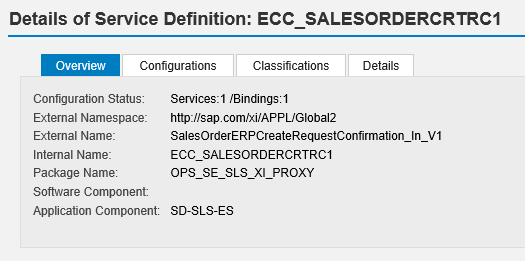
Example - testing Web Service SalesOrderERPCreateRequestConfirmation_In_V1
Web Service is exposed in SOAMANAGER under /sap/bc/srt/scs/sap/ecc_salesordercrtrc1 endpoint:
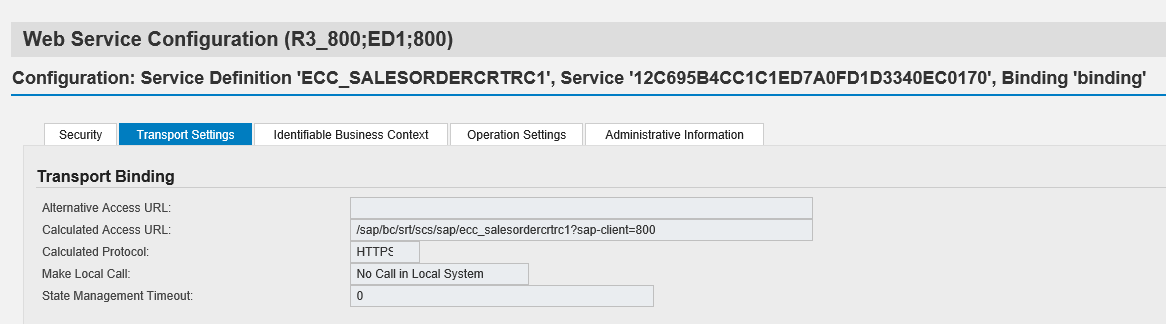
Enabling payload recording for inbound web services:
-
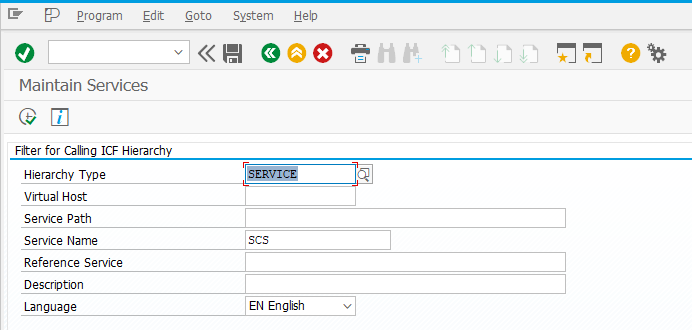
Go to transaction SICF
-
Enter Service Name = scs and click Execute (F8)
-
From menu choose: Edit > Recorder >Activate Recording
-
In the Recording Settings dialog, provide service path and select Request + Response.
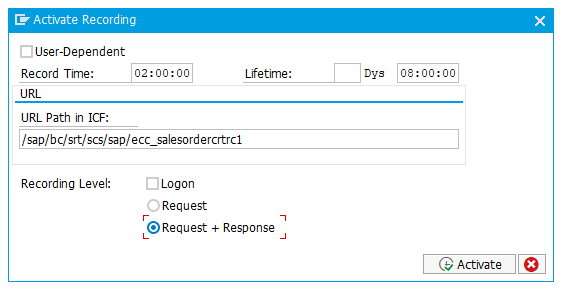
It is possible to enable recording for multiple services by restricting the path to a higher-level node.
5. Activate the Recording
Recorded requests can be monitored in transaction SICFRECORDER