Int4 Suite provides MCP server which enables interface testing from AI agents and clients.
Available tools
|
Name |
Function |
|---|---|
|
|
Searches for test cases matching specific business dimensions (e.g., sales order, material, customer) |
|
|
Gets test case numbers for provided Automation Objects |
|
|
Retrieves detailed information about known test case numbers |
|
|
Gets available master data tables and fields |
|
|
Based on results from |
|
|
Runs test cases in the Int4Suite integration testing system |
|
|
Fetches technical dimension names used for searching in |
|
|
Fetches landscape/environment and corresponding RFC destination per integration platform |
|
|
Finds artifacts in an integration platform which were changed in a given time window |
|
|
Finds specific Automation Objects based on interface name or free keywords |
|
|
Schedules background job which will perform actions described by user. The tool generates a new prompt which will be used in running AI agents in periodic background job |
|
|
Reads all scheduled prompts of current user: Prompt Id, prompt creation time and prompt content |
|
|
Reads execution log and result for scheduled user prompt. The tool provides information of execution details - detailed LOGS - and result for a single prompt execution |
|
|
Deletes or cancels scheduled prompt executions (background jobs) |
|
|
Enables users to modify the values of specific dimensions within an existing test case. Upon receiving new values, the tool creates a new test case (swapping in the provided values for the specified dimensions) and returns its unique identifier. The newly created test case is available for execution upon request |
|
|
Gets message IDs from middleware based on automation object and landscape |
|
|
Creates a new test case |
|
|
Searches help.int4.com
|
|
|
Gets test run details |
|
|
Retrieves detailed comparison results for a test case in a test run |
|
|
Returns whether an iFlow exists and suggests possible matches in case provided iFlow does not exists |
|
|
Generates test cases for a specific iFlow by monitoring live traffic in SAP Cloud Integration. Schedules a background job that captures messages flowing through the given iFlow and automatically creates test cases from them. |
|
|
Returns possible matches of folder numbers and their parents based on fuzzy name search. |
|
|
Creates new Automation Object |
|
|
Creates new folder |
Configuration
Make sure service /sap/bc/int4/iftt/mcp is active in transaction SICF:
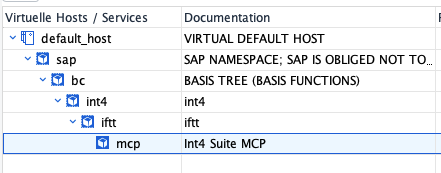
This service cannot be directly consumed from an LLM. In order to expose it to the internet SAP API Management needs to be configured. Please follow this guide.
Once API Management is configured you are ready to connect to MCP.
Depending on LLM client you need to provide:
-
MCP URL - API Proxy URL
-
User - user associated to an APIM product where API proxy is assigned
-
Password - password associated to an APIM product where API proxy is assigned
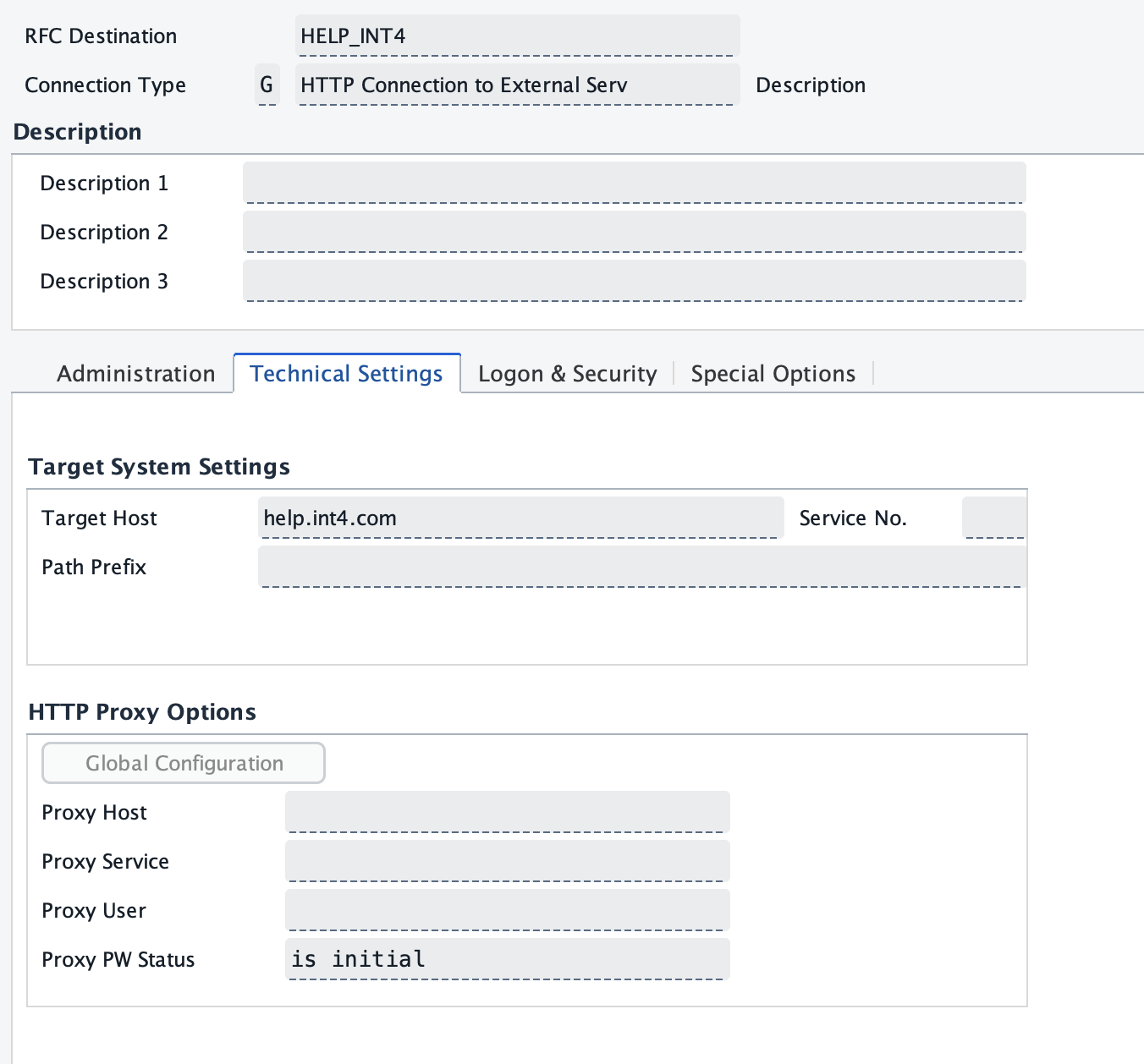
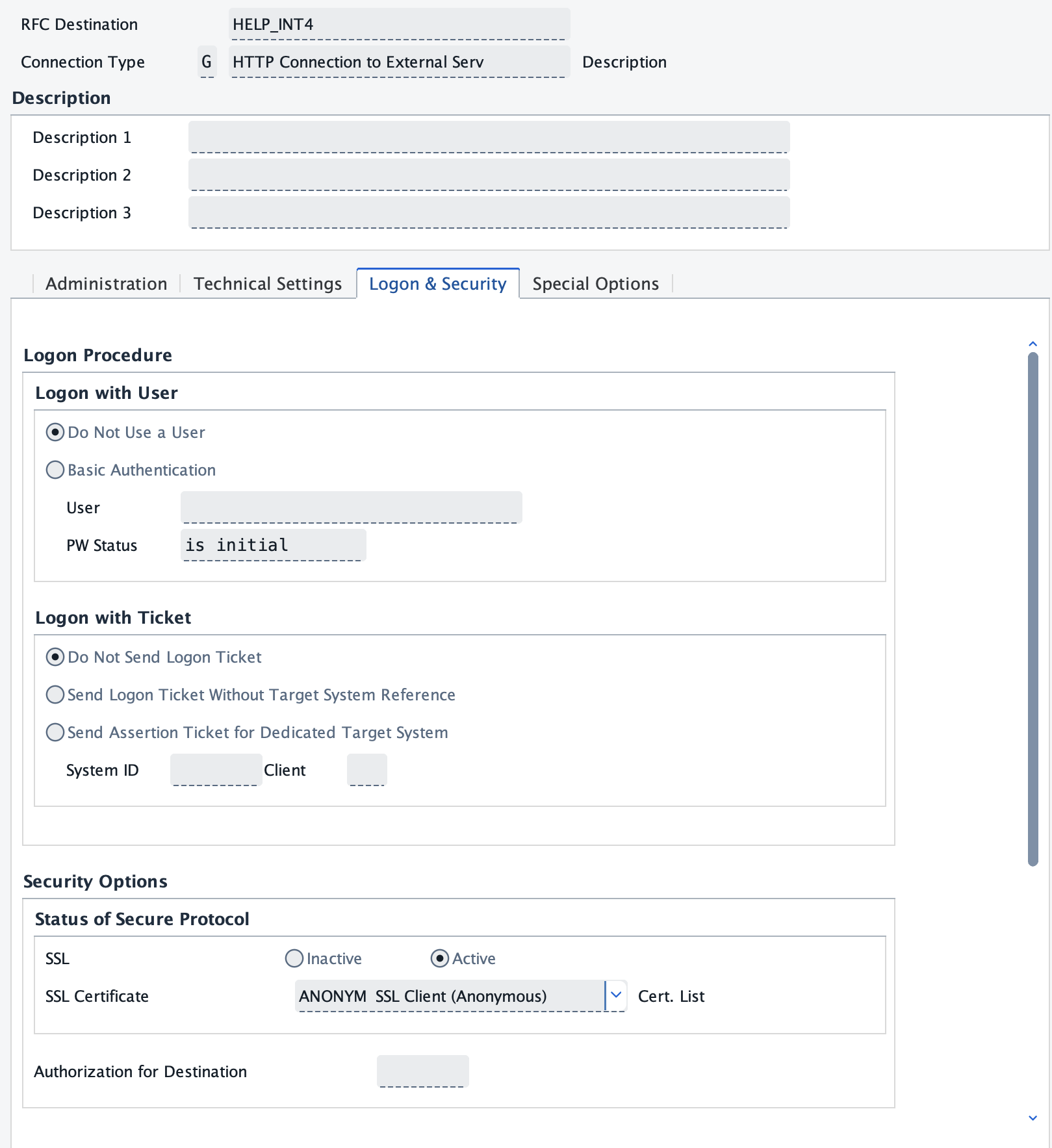
HELP_INT4 destination
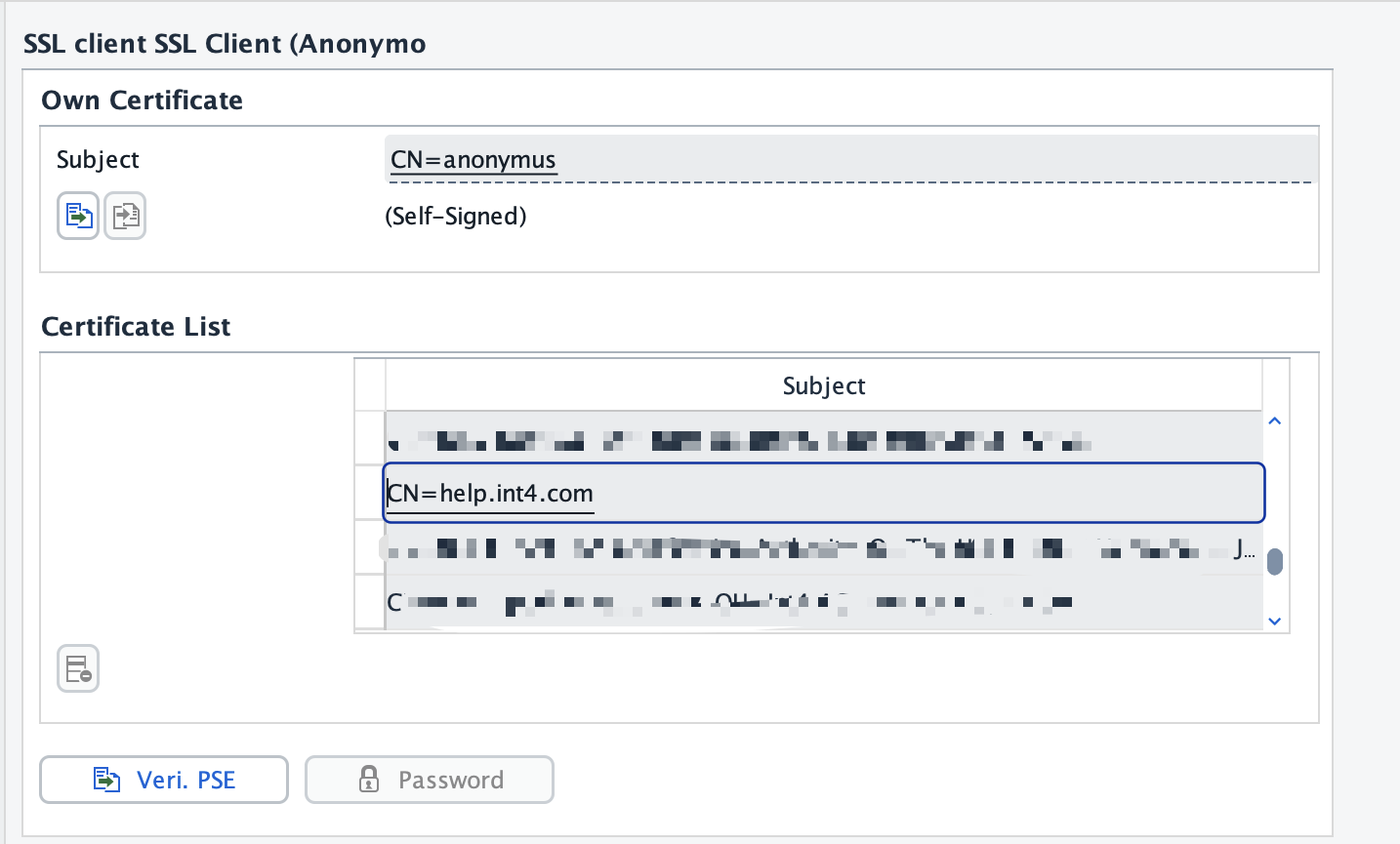
Tool search-int4-documentation requires a destination HELP_INT4 to be defined in SM59.
In STRUST: