
Secure parameters allow storage of confidential data, for example, API keys, access tokens in encrypted form. These parameters can be used in test case execution by using dedicated variable processor.
Initial setup
Secure parameters are encrypted using SAP Secure Store and Forward Mechanism (SSF) and require following initial setup:
-
Add new entry in SSFAPPLIC table with following values
|
Field name |
Value |
|---|---|
|
APPLIC |
Application name in customer namespace e.g. ZIFTT |
|
B_TOOLKIT |
X |
|
B_FORMAT |
X |
|
B_PAB |
X |
|
B_PROFID |
X |
|
B_PROFILE |
X |
|
B_HASHALG |
X |
|
B_ENCRALG |
X |
|
B_INCCERTS |
X |
|
B_DETACHED |
X |
|
B_ASKPWD |
' ' (blank) |
|
B_DISTRIB |
X |
|
DESCRIPT |
Description - free text |
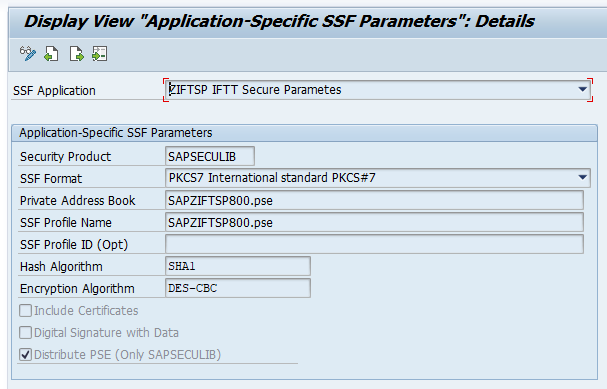
2. Configure application parameters in STRUST -> Environment -> SSF Parameters
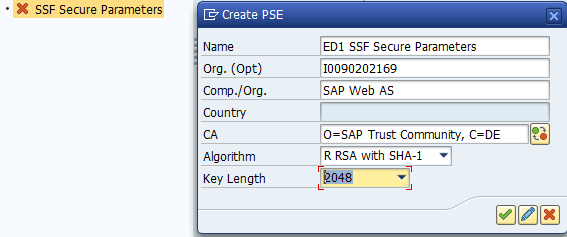
3. Create new PSE file in STRUST
Select the newly created SSF application in the left-hand menu, invoke the context-menu and select
Create.
- algorithm RSA with SHA-1
- key length 2048
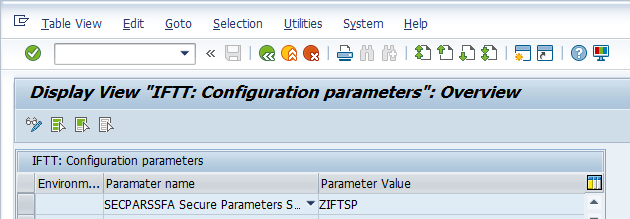
4. Maintain SSF application name in IFTT Global Parameter SECPARSSFA
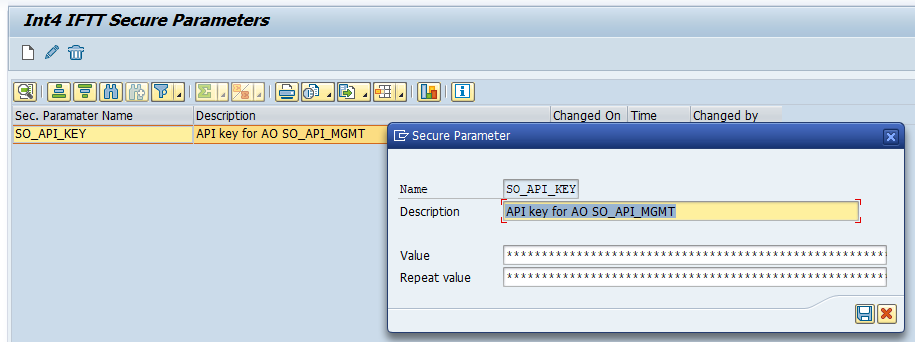
Secure parameters maintenance
Secure parameters can be maintained in transaction /INT4/IFTT_SEC_PARAM
Using secure parameters in test cases
Secure parameters can be referenced in Automation Object variables using SEC_PARAM variable processor.
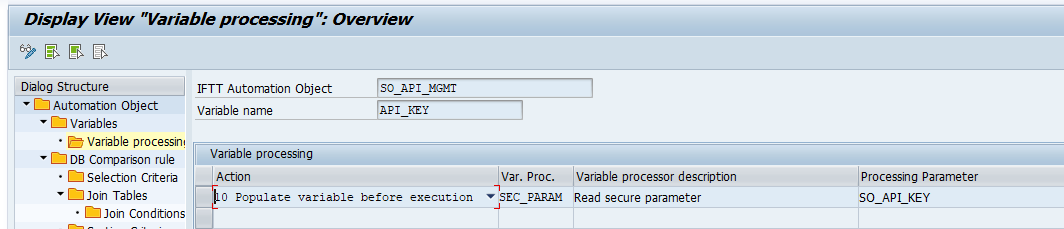
Variables with secure parameters are masked in Int4 Suite test results report Variables section. Variables used in test payload or HTTP headers are visible in plain form.
