
The Int4 IFTT central place is a Test Cockpit. It consists of two sections: organizational (A) and test cases itself (B). In section A, we manage our test cases by arranging them into various scenarios reflecting systems and business processes. Scenarios can be organized into a tree structure using nodes and sub-nodes. Other organizations can be achieved using scenario attributes (they are hidden by default). Section B displays all test cases grouped under a particular scenario and allows their creation and execution.
Test Cockpit Screen
A) organizational section:
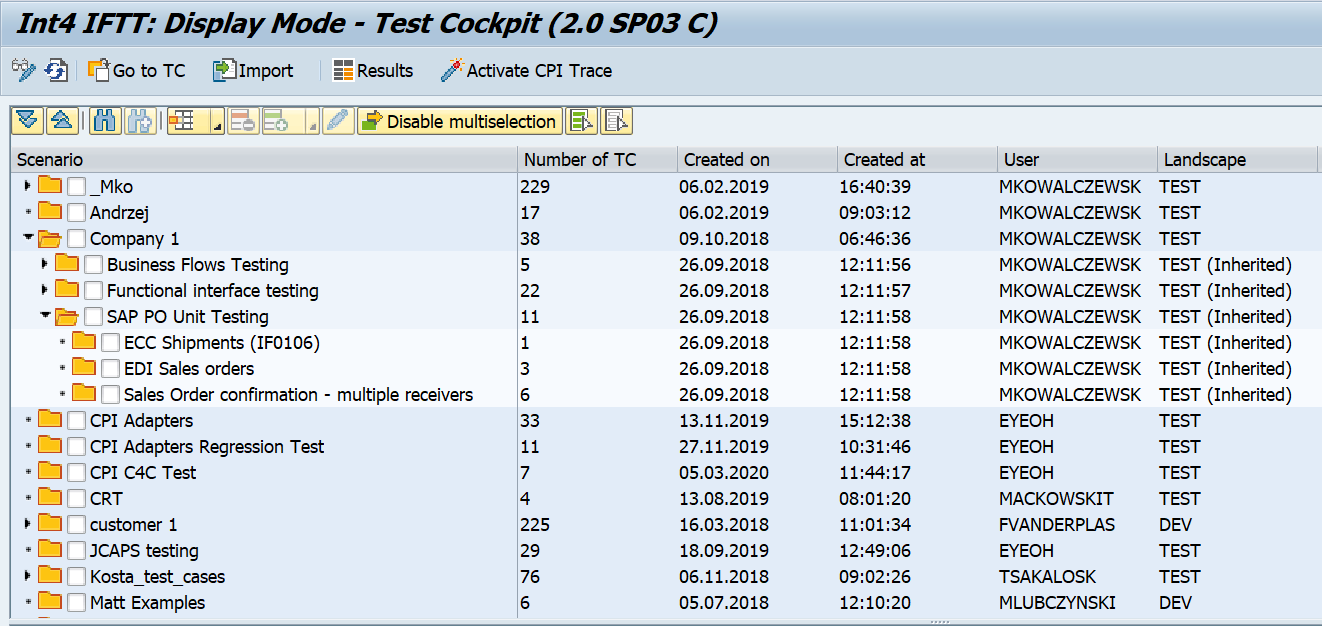
In the first section, you can use the following icons:
|
Icon |
Description |
|---|---|

|
Execution mode / Change mode |

|
Refresh |

|
Import test cases from file |

|
Open report with historical test case results |

|
Activate CPI Trace during test case execution |
.png%3Fversion=1&modificationDate=1487687438497&cacheVersion=1&api=v2?cb=7b35083c849e4e58219ae20f6edf6163)
|
Delete node |
.png%3Fversion=2&modificationDate=1487687433339&cacheVersion=1&api=v2?cb=d30eb3fd91172b0a3ad7c098001f4012)
|
Insert node |
|
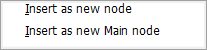
Insert as new node: adds a new subnode Insert as a new Main node: adds new scenario Main node |
.png%3Fversion=1&modificationDate=1487687464263&cacheVersion=1&api=v2?cb=7320caa4e1916e296be40ae62b04581f)
|
Edit node |

|
Enables selecting multiple nodes, e.g.: 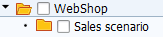
|

|
Disables selecting multiple nodes. |
B) Test cases section:

The table below contains the description of icons used in the second section of Int4 IFTT Test Cockpit:
|
Icon |
Description |
|---|---|
|
.png%3Fversion=1&modificationDate=1487687459669&cacheVersion=1&api=v2?cb=43f9e486105fc8c4072feb064f7b22d6)
|
Executes all test cases
|
.png%3Fversion=1&modificationDate=1487687460852&cacheVersion=1&api=v2?cb=8cc8cf0b5cb9912ff14388d17d00f09f)
|
Executes selected test cases
|

|
Display the content of the test case. Depending on the test case type, this can be, for example, XML message, IDOC, or flat file. |

|
Allows passing values to variables while creating a test case. The condition is that the variable needs to have the USER_DEF (User Defined) as the variable processor. |

|
Exports selected test cases to file. |

|
Opens report with historical results for selected test cases. (more information under Historical test case results ) |

|
Save changes |

|
Displays version history |

|
Runs the test case - no selection needed. |
C) “Goto” section
You can easily navigate from Int4 IFTT Cockpit to other IFTT sections/reports:
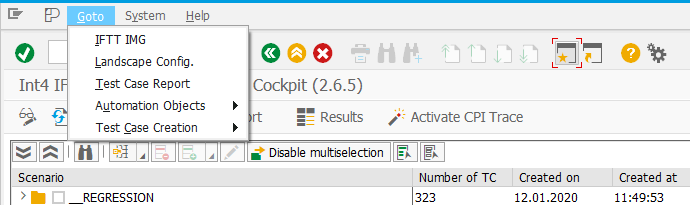
-
Test Case Report