
PROCEDURE:
-
Create a new object definition with a description, and the name of the tested interface (Boomi Process)
-
In Object Variables Settings, define variables names and descriptions.
-
In Variable Processing, define actions and variable processors that will process each of the variables data
For testing Dell Boomi interfaces, it is essential to define a variable(s) with action 40 ( used to find messages injected during test execution).
There are currently three methods that you can use to find the messages:-
using Boomi Tracked Fields
This method is recommended if Tracked Fields are available for Documents in Boomi Process.
Example: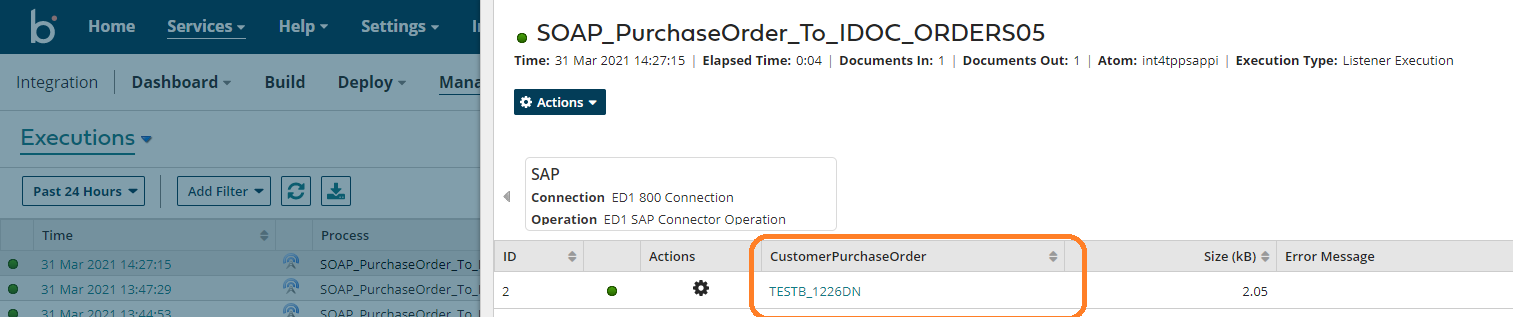
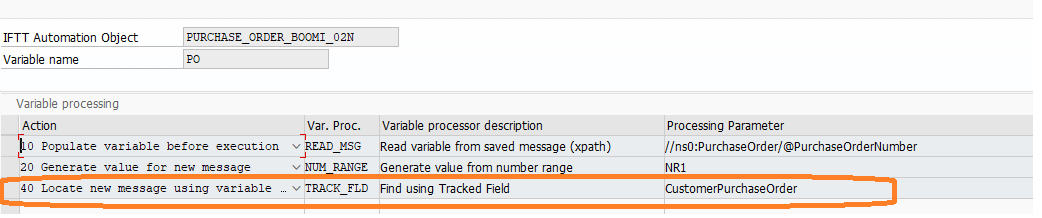
-
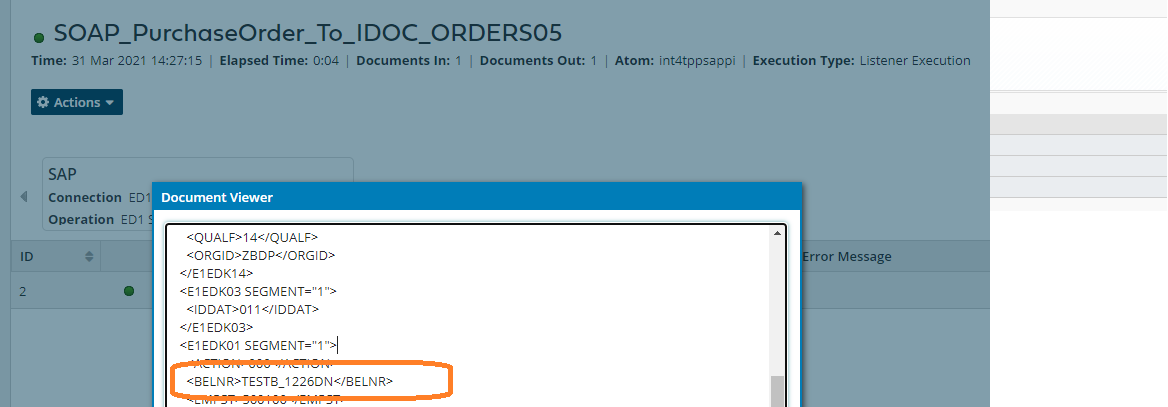
b. using Xpath expressions
This method is recommended if there are no Tracked Fields available, but there are fields uniquely identifying the message in the payload.
Example:

c. using input payload
This method is a fallback mechanism used if there are now variables with action 40 defined. In this case, IFTT tries to find the Execution Record by comparing the whole input payload.
-
In Database Comparison Rules define Table Names of those tables that should be compared.
-
In Selection Criteria, define how IFTT should locate those tables, e.g., by a reference to which value.
-
In Comparison Details define a set of fields to be compared and rules to be applied.
-
Define Additional Parameters
For testing Processes with HTTP or SOAP listeners, the SYNC_URL parameter can be used to specify the direct endpoint for message injection. Otherwise, the message will be sent to the Dispatcher endpoint defined by Global Parameter BOOMIDISP. -
Define Number Ranges that can be used, e.g., to generate values for messages created after the test case execution.
For more details about XPaths, go to the Object Definition page.